
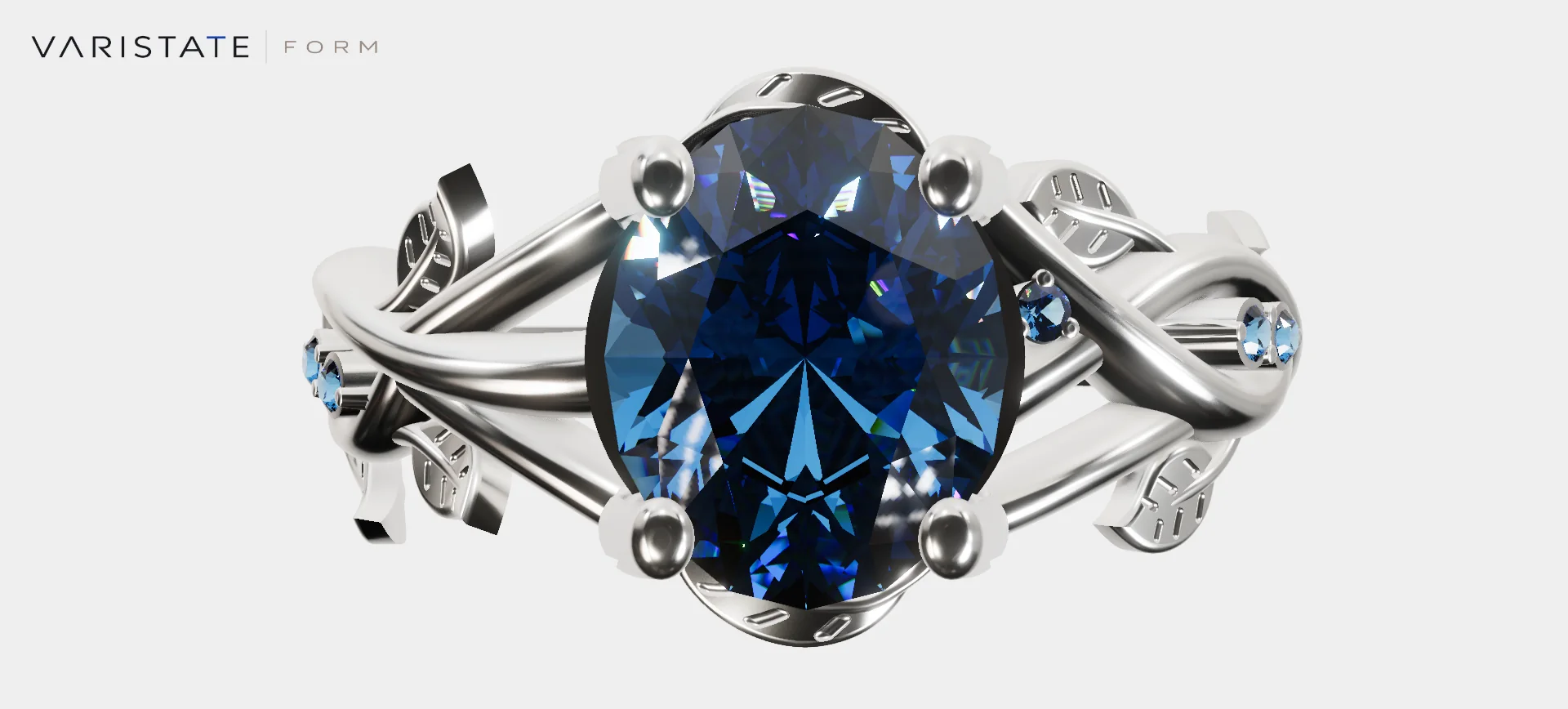
A ring is a slightly unfair object to put in a browser. It is small, but people expect to get very close. A polished edge takes up half the screen, a tiny stone becomes the whole subject, and the interesting parts keep changing as the camera moves. There is nowhere to hide a rough material setup. I quite like that challenge.
VariState FORM is my jewelry configurator built around a botanical ring. You can change the metal, gemstone, and surface finish, inspect the piece from useful angles, try it on through the camera, and take the configuration away as images or a PDF. The experience runs in the browser using TypeScript, Three.js, and the shared VariState Engine, with WebGPU and a WebGL fallback.
The original casting was supplied as an FBX. I prepared the browser asset and added the fitted preview stones and finished prong geometry in a separate derivative. My work here covers that visualization treatment, materials, camera direction, interface, and interaction. The underlying botanical ring design belongs to its supplied source. Keeping that distinction clear matters to me, especially when a finished image makes all those contributions look like one thing.
A small catalogue with visible consequences
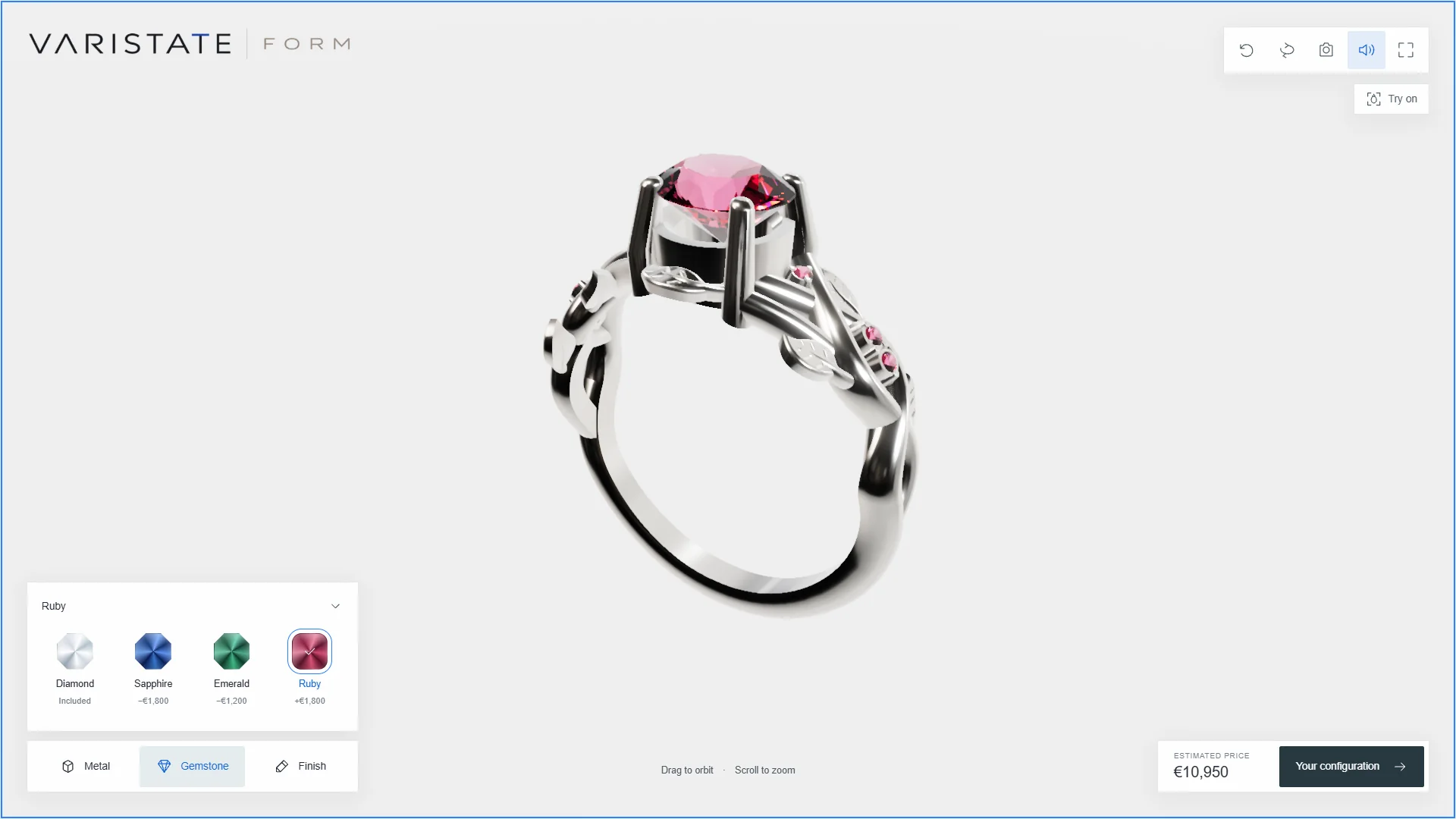
The current catalogue has four metals: 18K yellow gold, 18K white gold, 18K rose gold, and platinum. There are four gemstone choices, diamond, sapphire, emerald, and ruby, plus polished and satin finishes. That makes 32 combinations. The controls stay focused on those three decisions, and the ring updates in place so the visitor can see what each choice actually does.
Those are deliberately separate controls. Changing a gemstone should leave the chosen metal alone. Changing the camera should leave both alone. Even Reset view only restores the camera; it keeps the configuration. Losing a carefully compared finish because someone wanted to get out of a close-up would be a pretty annoying way to end the experience.
The catalogue also owns the labels and example price adjustments. The interface and exported summary read the same calculation, which keeps them consistent. The prices are illustrative estimates, with no checkout or binding quotation. A commercial version needs approved product data, including the actual stone specifications and pricing rules. I would rather show a clear example than quietly invent details about carat weight or certification.
Precious metal needs something to reflect
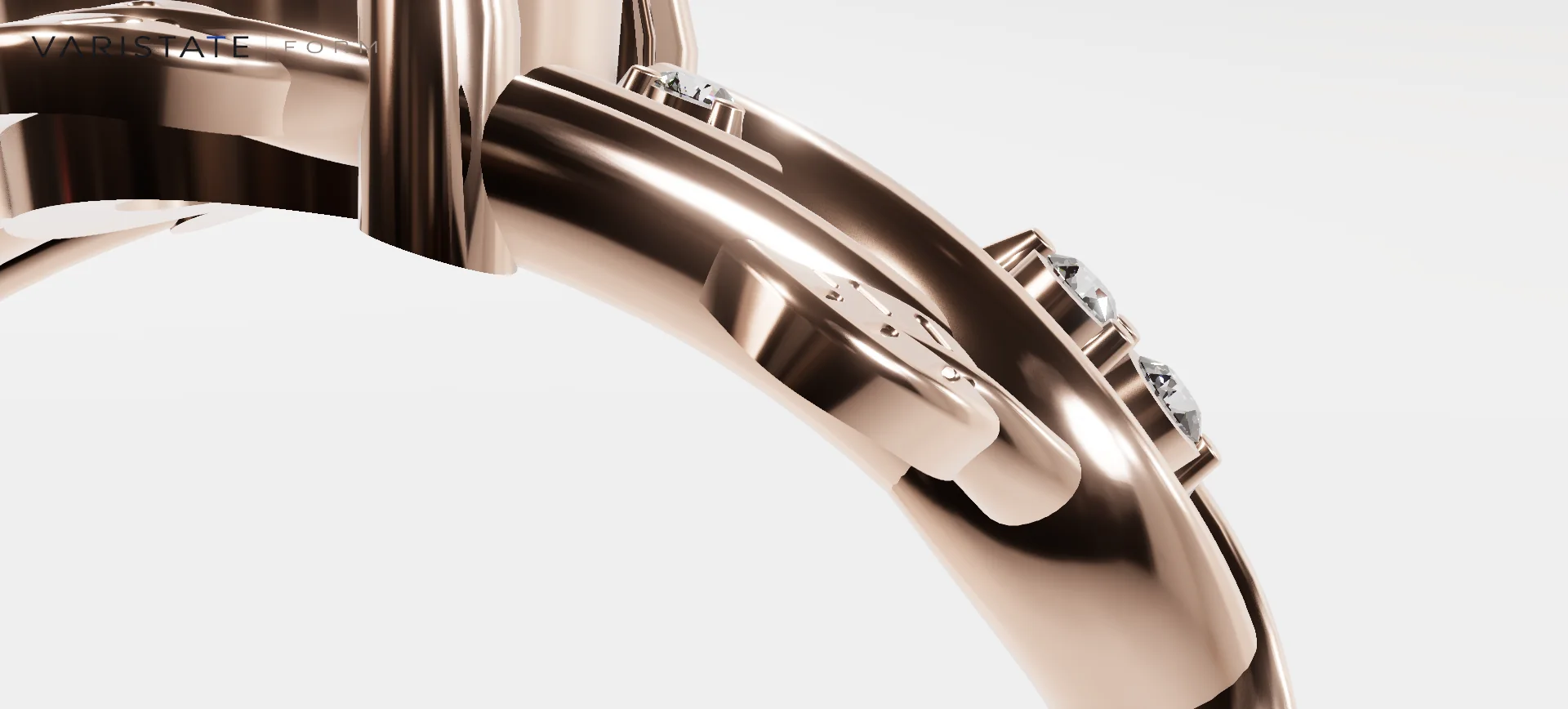
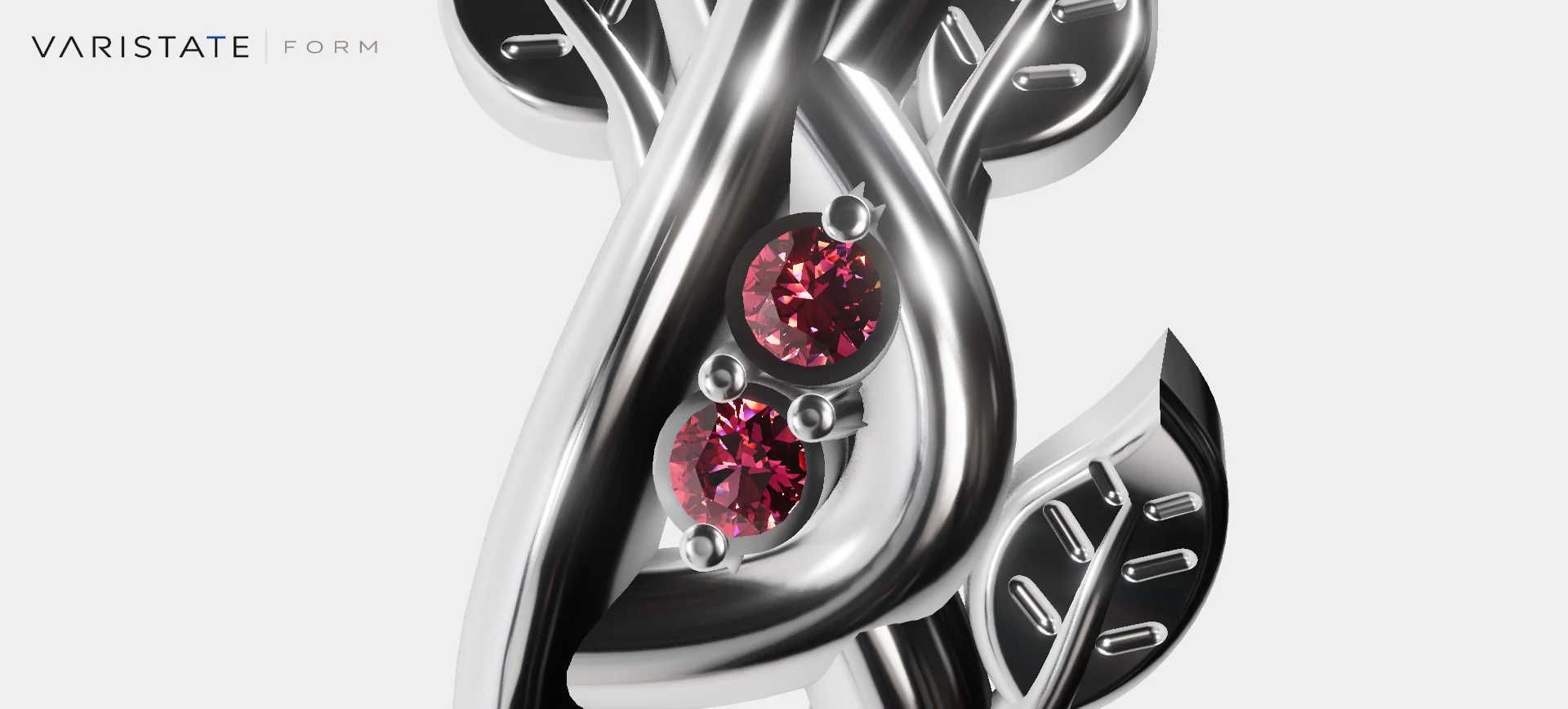
The casting has curling stems, leaves, bezels, and a fairly busy shoulder. A flat gold colour would make much of that detail harder to read. In FORM, the metal uses a physical node material with full metalness, alloy reflectance approximations, and fine roughness variation. The result depends heavily on the reflected environment. Bright bands describe a curve; darker bands let the next edge separate from it.
Polished and satin also need different responses. Polished surfaces carry narrow, clear reflections. Satin spreads them out and makes the same shape feel softer. I keep a little surface variation in both, scaled finely enough that it does not become a layer of obvious noise over the jewelry. The swatch is only a starting hint; the product is where the finish gets explained.
The scene uses a white cyclorama with an HDR studio environment for reflections. That quiet setting gives the metalwork and stones room to hold attention. It also makes comparisons easier because the surroundings remain stable. A screen preview still depends on the display and the authored material data, so I treat these metals as visual approximations rather than a substitute for checking a physical sample.
The stones have an inside
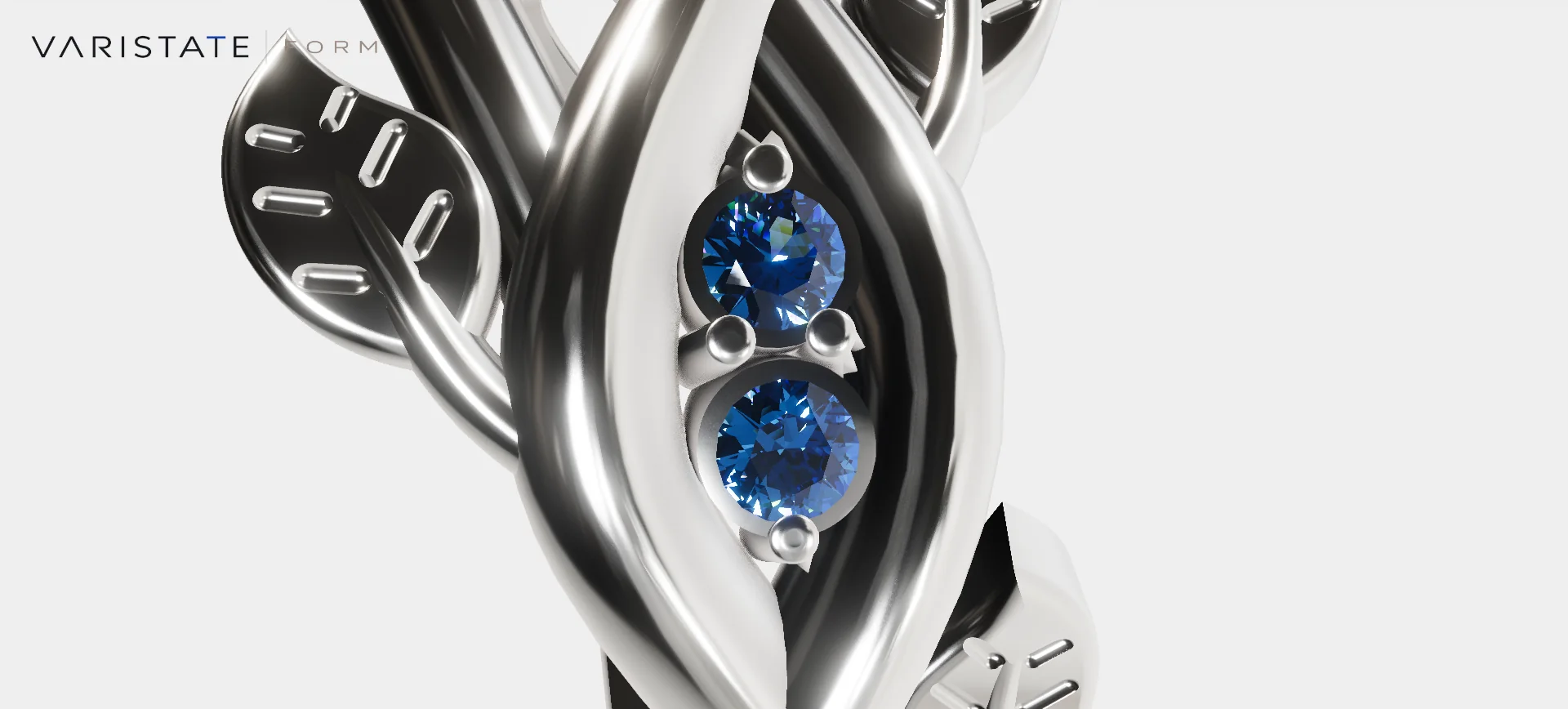
Gemstones were the most demanding material part of this build. I wanted the facets to change coherently as the visitor moved around the ring. The runtime stones are closed convex volumes with explicit faces. A custom gemstone shader follows light paths against those facet boundaries, using separate red, green, and blue refraction paths and up to five internal reflections. There is real geometric structure underneath the sparkle.
The shader combines reflected environment light, refraction, absorption, and a Fresnel response. In everyday terms, some light reflects at a surface, some travels inside, and the path through the stone affects what comes back out. The gemstone choices change those optical values. Sapphire does more than place a blue tint over the diamond image, and the dark areas inside a stone remain part of its appearance.
There are limits to this model. Its internal paths sample the HDR environment; they do not reconstruct every nearby prong or simulate a complete jewelry photograph. It does not generate a certified prediction of a real stone. I find the useful target is a consistent visual explanation: the cut, colour, and changing view should agree well enough that someone can compare the available choices.
Changing the cut means moving the setting too
The center stone has a round brilliant preview for diamond and emerald. Sapphire uses a gentle oval, while ruby uses an oval across the other axis. These shapes follow the gemstone choice automatically. There is no separate cut selector, and selecting emerald does not imply an emerald step cut. They are conservative presentation variants fitted to this particular casting.
A wider stone would look wrong if the four main prongs stayed in their original positions. The upper parts therefore bend towards the changing crown while their roots remain fixed. The optical boundary changes with the stone geometry as well. Otherwise the visible oval and the shader's internal round volume would disagree. The five smaller stones and their fitted bezels keep their original shapes and positions.
This is visualization geometry. It is useful for showing a variation and keeping the setting visually connected, but it does not produce manufacturing-ready jewelry CAD. A proper production workflow would need an actual approved setting for each stone. That boundary is especially important with jewelry, where a very small adjustment can carry a practical meaning that a browser preview cannot approve on its own.
Material changes need a readable handoff
A soft reveal moves across the ring when the metal or finish changes. Gemstone appearance uses the same timing. The transition takes just over a second, and another selection starts from what is already visible. That last detail is useful when people click quickly. The ring should continue towards their latest choice without jumping back to an older state between selections.
These effects update material values and the small amount of moving geometry, keeping the shader structure in place. Reduced-motion preferences and image exports settle the latest selection directly. A sweep is there to make the choice legible; it should never leave a saved image halfway between two finishes. I talk more about the broader control decisions in my configurator UX article.
Let the camera do a little teaching
The main view shows the full piece levitating in the studio. After a short period without camera interaction, the experience moves through five authored macro compositions: leaf detail, side stones, the center stone from above, crown facets, and the opposite shoulder. These views point out features that are easy to miss when the ring is simply sitting in a wide frame.
Dragging, touch orbit, zooming, or using the camera keys takes over from the current view. The lens and camera position carry through that handoff, so the visitor can continue inspecting the detail already on screen. A small Reset view control returns to the normal composition. Hovering over a swatch or choosing a material does not suddenly cancel the camera presentation.
The entrance and automatic views respect reduced motion, and the configuration dialog pauses the idle sequence. The point is to give the object some direction while leaving room for deliberate inspection. A ring has enough small features to reward a slow camera. Constantly rotating everything would make those features surprisingly hard to compare.
A configuration should survive leaving the page
Selections are stored locally in the browser and validated when they are loaded again. Each property falls back independently if stored data is no longer valid. That is a fairly small bit of code, but it helps the experience feel dependable. Someone returning to compare a second option should find the first one where they left it, provided their browser allows that storage.
The screenshot action saves the current camera view with the FORM branding. The PDF takes a more structured approach: two full-piece views and three detail compositions, along with the selected options and the same example pricing shown in the interface. It is a two-page configuration record that someone can keep or send on while discussing the piece.
During PDF capture, the configuration is held steady and the material transitions are finished. Afterwards, the original camera and object pose are restored, including when capture fails. All of this runs locally. These details keep the exported pictures, labels, and total connected to one configuration. An attractive document loses its purpose pretty quickly if the gemstone in the image differs from the one named below it.
Trying the ring on changes the problem again
The optional Try on mode brings the selected ring into a live camera view. Local MediaPipe hand tracking estimates where the ring finger is, and the same metal, gemstone, finish, and preview cut are carried across. A depth-only approximation of the hand hides the rear of the band. The video itself stays beneath a transparent render, keeping the camera's skin and background colours intact.
Camera permission comes before the hand-tracking model and runtime are downloaded. Their combined size is roughly 23 MB, so this optional step stays separate from exploring the studio. Camera frames and landmarks remain local, and closing try-on stops the camera tracks and tracking worker. The mode also offers a photo capture once the ring is tracked, so the visitor can keep that view.
It is a visual try-on, with some very ordinary camera limitations. It does not measure ring size. The reflection environment remains the authored studio rather than a scan of the visitor's room, and finger occlusion is estimated from landmarks. Fast motion, bent or overlapping fingers, and existing jewelry can affect the result. Physical-phone testing still matters; a successful browser camera fixture cannot tell you everything about someone's real hand or device.
Spend the browser budget on the piece
A macro jewelry view spends a lot of pixels on a few demanding materials. For this asset, 42 compatible static metal parts are merged for rendering while the four moving center prongs and six gemstones remain separate. That leaves eleven product meshes. The casting's triangles stay intact, which is useful when a leaf edge that looked tiny in the overview becomes the subject of a close-up.
Interactive resolution adapts to the device and sustained rendering load. On phones, ambient occlusion can use a lower sampling density while facets and silhouettes receive the sharper image buffer. Captures temporarily use their own higher-quality settings and then restore the interactive budget. I avoid quoting a single frame rate for this because a desktop browser pretending to be a phone is still running on a desktop.
The studio loop pauses while camera try-on is active, and hidden tabs suspend work. The expensive paths should belong to the view someone is actually using. If you are dealing with similar tradeoffs, my notes on Three.js performance on phones cover the wider problem. Here, preserving the ring's detail while adjusting the rendering workload was the useful balance.
What this gives a jewelry conversation
FORM gives a visitor several ways to understand one piece: compare a warm metal with a cooler one, see how satin changes a shoulder, inspect the center stone, try the configuration against a hand, and keep a clear record afterwards. Those steps are useful foundations for a conversation with a jewelry business. They give both people something specific to point at instead of trying to describe a half-remembered product image.
A commercial deployment would add its own approved catalogue, sizing process, product references, and sales integration around those foundations. I have kept those future business decisions separate from the functions already in the viewer. The broader planning questions are in how I think about building 3D product configurators; this project is my practical study of the much smaller, shinier object in front of us.
You can explore the live VariState FORM configurator or look through the project gallery. I would start with one material change and then move the camera close to the shoulder. That is where the tiny decisions in this build become easiest to see.