
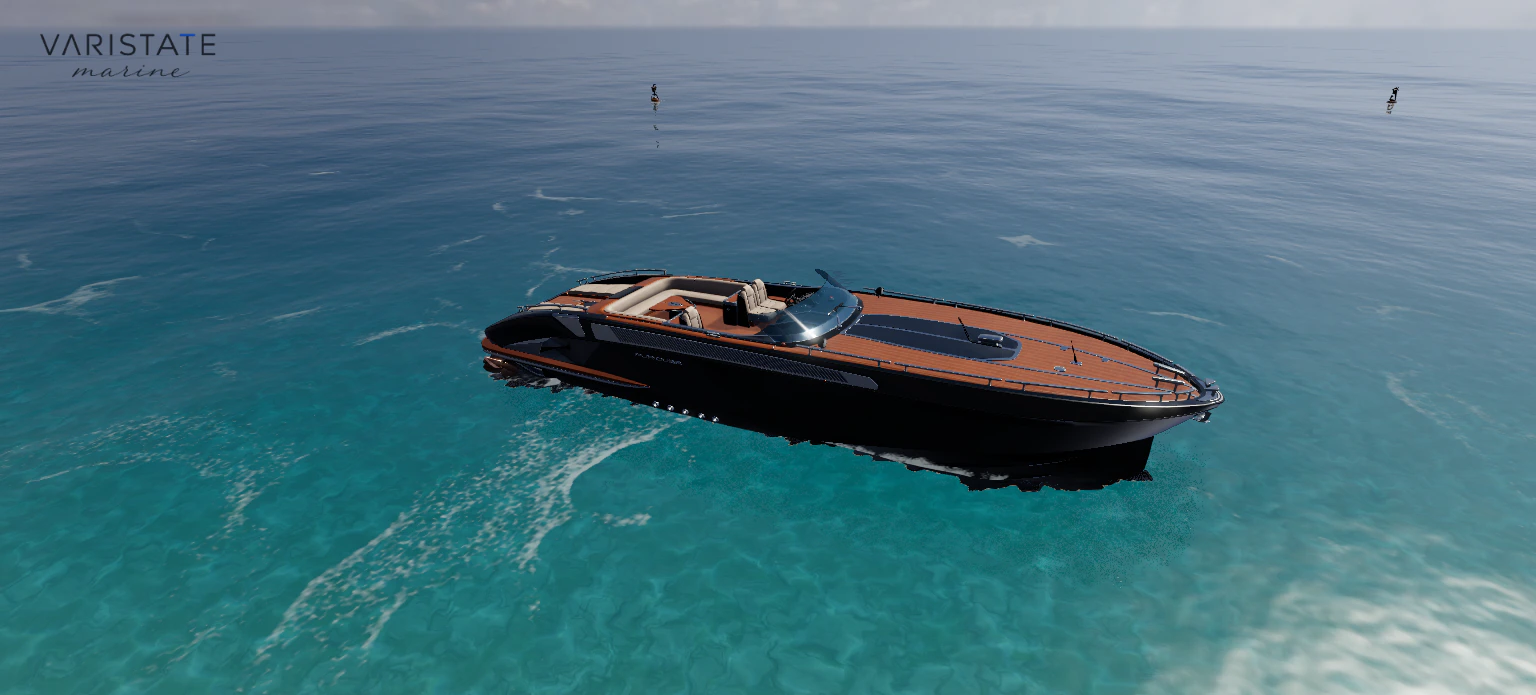
A yacht looks a bit strange in an empty product studio. You can judge the silhouette, sure. But the waterline, the deck against the horizon, the way a dark hull picks up the sky: those are a big part of the thing you are trying to show. Remove them and you lose useful information along with the atmosphere.
That is the starting point for VariState Marine, my browser-based yacht configurator. It combines finish choices with an ocean scene, guided views, a walkable interior, and a yacht you can drive. The current version runs on Three.js, TypeScript, and Vite, with the ocean built on Three.js Water Pro. The supplied vessel model provides the geometry and rig; my contribution brings those foundations together through configuration, rendering, navigation, and interaction.
The configuration has to stay connected to the boat
There are four finish groups: hull paint, cockpit upholstery, cabin upholstery, and cabinetry. Each has six curated choices. That is enough variation to explore different characters without turning the interface into a paint catalogue. The more useful question is whether a choice remains understandable once you leave the nice overview and get close to the surface.
I keep the original normal, roughness, metalness, and ambient-occlusion maps when recolouring a finish. Masks separate the configurable areas from lettering, stitching, fittings, and neighbouring materials. A cream cushion should still have its seam detail after becoming dark blue. Cabinetry should still read as a finished surface. Otherwise the controls technically work while the visual explanation gets worse.
An atlas makes this more fiddly than it sounds. Several physical objects can share one image, so tinting that entire texture would also recolour things the visitor never selected. The configuration needs a useful understanding of the surface groups beneath the mesh names. That preparation is easy to miss in a screenshot, but it determines whether the controls remain dependable as the options grow.
The changes update shared material uniforms rather than rebuilding the model. A soft sweep reveals a new finish across the yacht, and another selection redirects it smoothly. Saved choices and reduced-motion preferences skip that reveal. It is a small interaction, but it makes the relationship between the button and the object pretty clear without demanding a separate confirmation step.
Water is doing several jobs at once
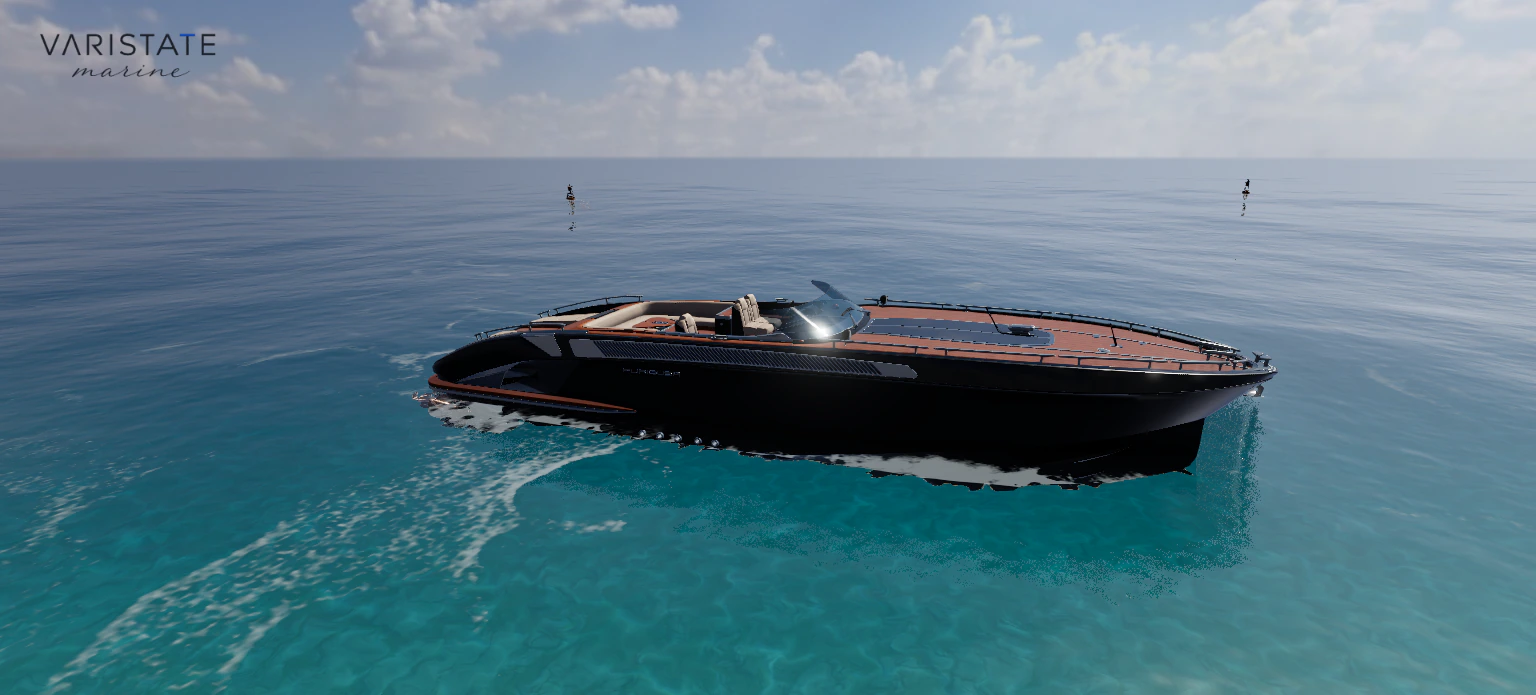
The ocean is easy to treat as background decoration until the yacht starts moving. Then it has to describe scale, support the hull, reflect the scene, and leave a believable trace behind the stern. If those things disagree, even a detailed boat starts looking like a model sliding over a video.
This build uses the Water Pro FFT ocean, with several scales of wave detail. I limit the display presets to keep the yacht readable rather than showing off the biggest possible swell. Five hull probes feed damped heave, pitch, and roll. In plain language, the boat samples the water in several places and follows it with some weight instead of snapping to every little bump.
The wake has its own job. A narrow propeller streak sits inside a wider hull trail, and the trail follows the path through a turn. Those patterns add surface foam without rewriting the ocean height or normals. I like that separation because the wake can communicate travel while the smaller water detail stays intact. More foam is not automatically more convincing.
Long travel introduces a less photogenic problem: coordinate precision. The scene periodically shifts its origin to keep the yacht and camera near manageable coordinates. Water phase, wake history, foam, and live particles move with that change. The history has fixed bounds, so sailing farther does not mean keeping every previous wake segment in memory forever.
Keeping the sea outside the cabin
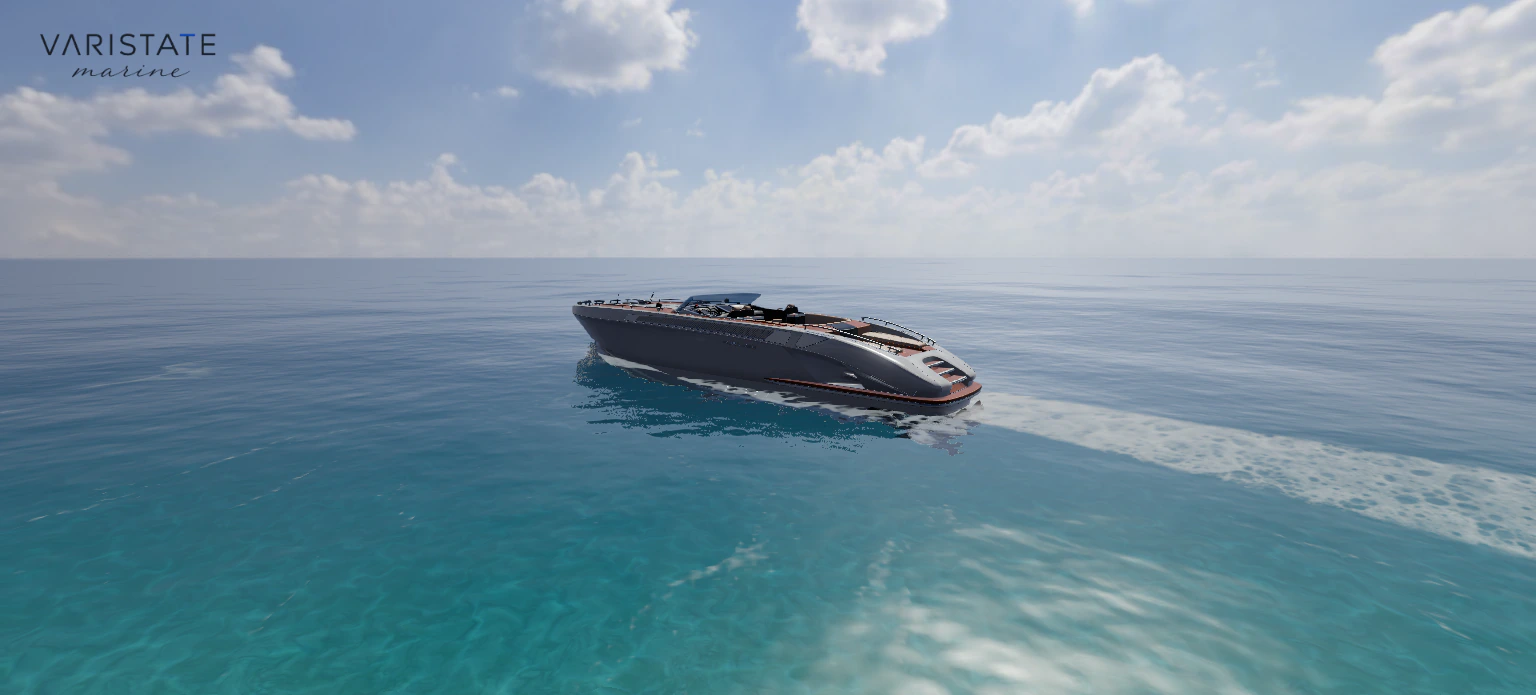
You can have lovely water outside and a ridiculous experience below deck if a wave comes through the floor. This is one of those unglamorous details that matters immediately when a camera goes inside a vessel. The cabin needs to remain dry even though the ocean surface continues around and beneath it.
Closed hull and cabin mask volumes keep the water out of the interior. There is also a shading detail here: cabin contact shading compares against an opaque capture without the water, so passing crests do not make the floor flicker darker. Fixing the visible intersection alone would leave a second, quieter version of the same mistake in the lighting.
Rainfall needs similar boundaries. Rain stays behind solid walls, and moving shelter regions exclude indoor drops while the windows still show the weather outside. Exposed paint, teak, upholstery, and glass gradually pick up wetness; sheltered cabin surfaces stay dry. When the weather clears, the wet film fades away rather than disappearing in the same frame as the sky change.
A material needs more than one flattering light
Daylight, Evening, Moonlight, and Rainfall are the four customer-facing atmospheres. They keep the chosen finishes and camera in place when switching. That makes them useful for comparison: look at the same upholstery or hull from the same position and change the lighting around it. Moving everything at once would make it much harder to understand what caused the difference.
Paint and varnished surfaces get a clearcoat response, upholstery gets a softer sheen, and the windscreen uses transmission. These are different surface behaviours, even where their base colours are close. The Three.js physical material documentation explains those layers and their extra shading cost. In this project I use physical node materials, keeping those responses tied to the original texture detail.
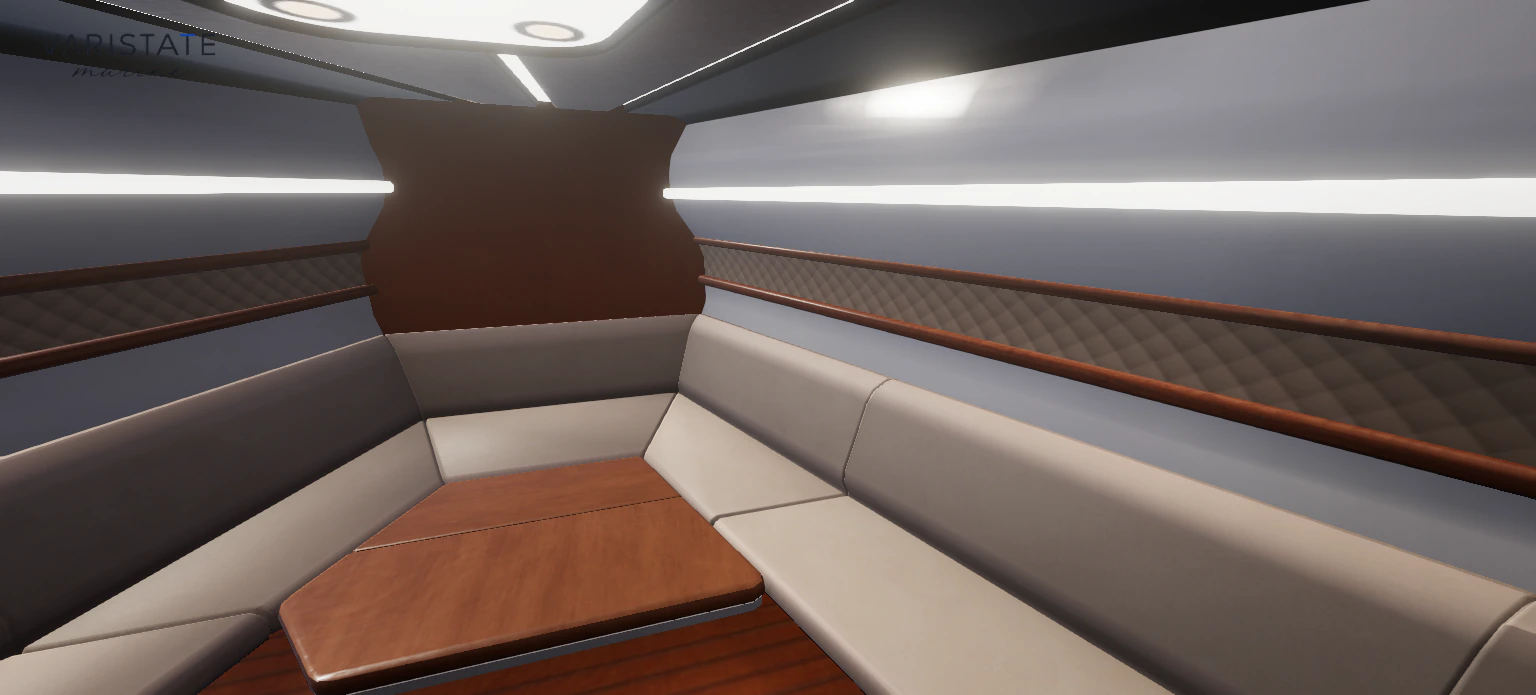
Inside, two area lights follow the existing ceiling strips. The aim is to let the seats, table, and fitted surfaces remain legible without washing everything into the same brightness. I would rather have a slightly quieter image with useful material separation than a bright interior where every surface looks equally polished. Bloom cannot supply a missing roughness map.
There is a practical distinction between an attractive preview and a finish approval, too. A browser image depends on the display, the lighting setup, and the source material data. Here the comparison is useful because those conditions stay consistent within the experience. For a real purchasing workflow I would connect the visual choice to an actual finish reference and physical sample wherever colour approval matters.
Cameras are part of the interface
Sixteen guided viewpoints cover the profiles, foredeck, swim platform, cockpit, helm, and interior details. They are not just sixteen camera coordinates. A transition from outside to the salon needs a route through the companionway. A direct line would happily go through the deck, which is efficient in a mathematical sense and pretty terrible as a tour.
The routes follow measured openings and give doors time to clear the passage. Shared corridor sections are simplified to avoid unnecessary backtracking. You can still look around during a transfer; that changes the view direction without pushing the camera away from its route. Selecting a new destination starts from the visible pose, so a second click does not snap you back to an imaginary starting point.
Opening the interior finishes guides the camera into the salon. Cabinetry has a closer relevant view, and returning to exterior finishes takes the route back out. Subsequent swatches keep the framing. This is an interface decision as much as a camera decision: bring the person to the thing they are choosing, then stop moving it around while they compare.
Walking and driving add a different kind of evidence
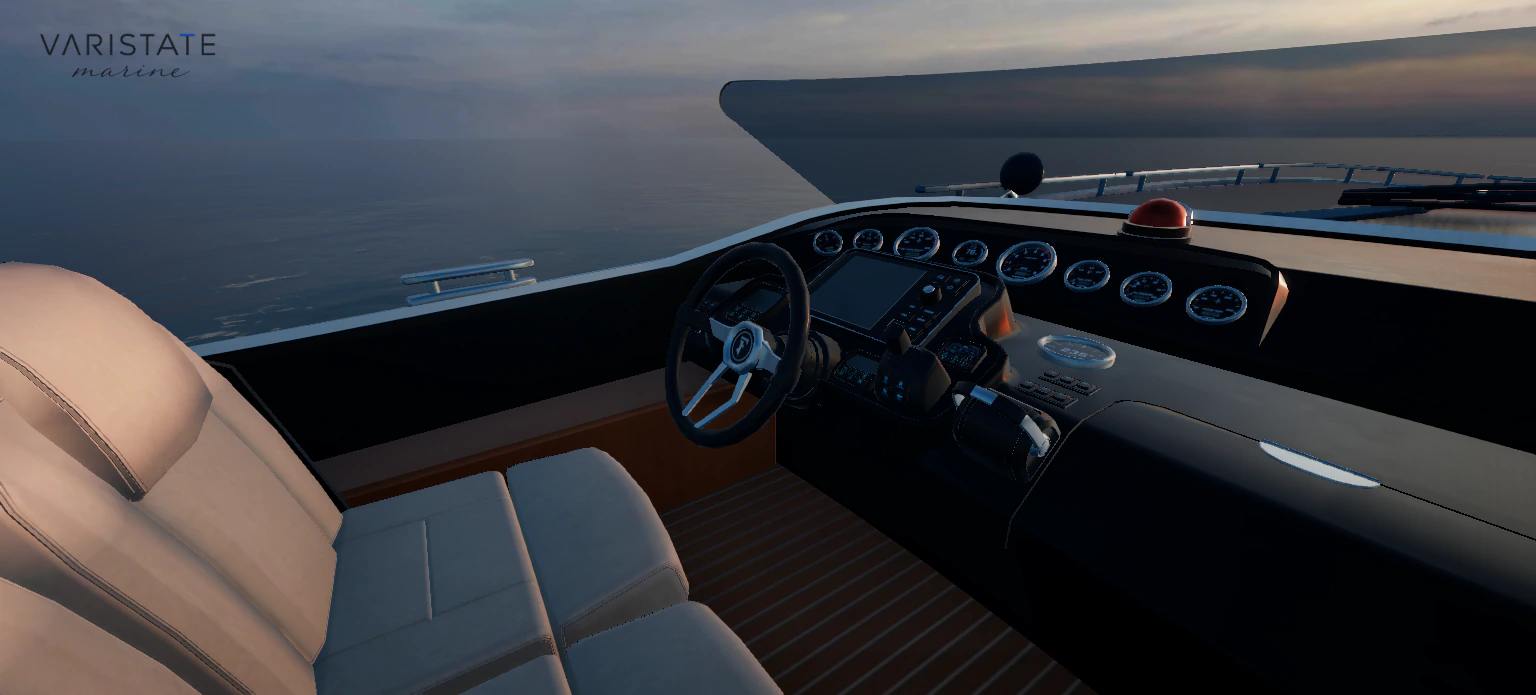
The guided tour is the easy way in. Walking lets you investigate the space more freely, with collision against the supplied geometry, working stairs, animated doors, and movement tied to the yacht while aboard. If you fall into the sea, swimming uses world coordinates instead. Returning to a stopped or slow yacht lets you board again at the stern.
Driving starts with the engine off. Once started, throttle and steering move the yacht, with the wheel, levers, and propellers following their rig animations. Leaving the helm returns the throttle to neutral while the vessel coasts. These interaction rules make it easier to connect the helm controls to the vessel moving through the water, with enough restraint to keep exploring comfortable.
Getting those little controls right also involved runtime asset repairs. Some door handles needed to follow their matching hinges, and the wheel and throttle transforms needed their original proportions restored after export. The source model stays intact. For a configurable product, a moving handle remaining attached to its door is a more useful quality check than another dramatic wide shot.
Sound supports the same distinction between states. Engine recordings blend with throttle and speed, moving water continues during coasting, and the cabin softens the sound. Music, weather, engine, and footsteps or doors have separate mixer channels. Audio begins after entering the experience. A visitor can mute it, and hidden tabs pause playback rather than keeping the whole soundtrack running unattended.
Browser realism means choosing a budget
The opening screen offers Performance, High, and Ultra before loading the 3D runtime. A remembered preference is only a suggestion; a returning visitor still makes the choice. I prefer that explicit moment because a heavy interactive scene has a real cost, and someone opening a portfolio link on a small device may want a different tradeoff from someone at a desktop.
The profiles change water quality, sky resolution, reflections, shadows, antialiasing, and render pixel ratio together. Performance and High use the standard yacht asset; Ultra selects a derivative with a 4K interior colour atlas. That does not mean every texture becomes 4K. Keeping the description precise matters, because texture labels can otherwise sound more impressive than the actual difference on screen.
The renderer uses WebGPU where available and has a WebGL 2 backend fallback, matching the behaviour described in the official WebGPURenderer documentation. Some effects still differ: the yacht contact-shading pass is a WebGPU addition. Supporting another backend means checking the resulting experience, not assuming a different graphics API makes every feature identical.
Compatible opaque yacht parts are batched beneath their existing rig parents. That reduces submission overhead while keeping animated fittings addressable. Atmosphere decoding happens in a worker, and a small GPU cache helps repeat switches. I also keep the technical controls on a separate GUI route. Customers need finishes, viewpoints, and clear actions; they do not need to learn the renderer settings before looking at a boat.
There are limits to the current controls as well. Orbit and detail views support touch, while walking and driving use a keyboard. On phones, the finish panels start collapsed to leave room for the yacht. Keeping those differences explicit helps me judge the interface by what somebody can actually do on their device, rather than treating a smaller canvas as the whole mobile adaptation.
What this project is useful for
For me, the useful outcome is a connected demonstration of material configuration, interior navigation, and an environment that responds to movement. It shows how I approach the awkward boundaries between systems, where a camera enters a cabin, a finish meets an atlas mask, or a long voyage meets a finite rendering budget. Those boundaries are where a polished screenshot often stops being enough.
A production yacht sales tool would still need its own verified options, availability, pricing, and approval process. This project establishes the interactive foundation without inventing those commercial rules. You can open the live Marine experience or see the project overview. Start with a profile, compare a finish in another atmosphere, and then go below deck. That sequence explains the work better than a feature count does.