
A material can look expensive in one view and strangely cheap a few degrees later. Sometimes the texture is fine and the lighting is the problem. Sometimes a roughness value has made every surface equally shiny. A configurator exposes those disagreements because the visitor can move the camera, try a dark finish, and change the environment beyond the carefully chosen hero angle.
I approach the lighting and materials in VariState as connected decisions. The aircraft needs sky reflections along a long fuselage. The SUV has to separate paint, glass, rubber, and cabin trim. The interiors need believable relationships between the window view and the room. The yacht adds moving water and exposed wet surfaces. These are different scenes, but the same practical question keeps returning: what is this surface responding to, and does the visible setting support that response?
Start with the surface you actually have
Base colour is only one part of a material. Roughness changes how concentrated a reflection appears. Metalness changes the model of the surface response. Normal detail influences the small changes in orientation that make grain and texture readable. The Khronos PBR guide is a useful reference for those relationships. I try to establish them before treating exposure or post-processing as a way to rescue an unclear surface.
This distinction becomes very practical in AUTO. Its body options are authored appearance sets, including a livery with graphics. Its wheel finishes and exterior detail materials carry their own response. Making an originally metallic detail darker does not automatically produce the intended black plastic. The desired result may need different roughness, metalness, and texture data. I describe that asset structure in the SUV case study, because it explains why the configuration is more than a row of colours.
Marine uses a different approach for several surfaces: selective tinting while preserving the source maps. The important word is selective. Atlas masks keep lettering, fittings, and stitching independent from the chosen finish. That lets a cushion change colour while retaining the details that make it look upholstered. The correct strategy depends on the asset and option, so I do not force every project into the same material-replacement recipe.
Get colour interpretation right before judging the light
Colour images and data textures need different treatment. The Three.js colour-management guide explains the linear working space and texture colour-space annotations. A base-colour image represents visible colour; a roughness map represents material values. If those inputs are interpreted incorrectly, I can spend a long time adjusting the light to compensate for a problem earlier in the pipeline.
I also keep the original texture information available as a reference. A configurable floor should retain its grain after a tint changes. Leather should keep its normal and roughness detail. It is tempting to judge a replacement material only by whether the new colour looks attractive. I also want to check what quietly disappeared: seam contrast, fine relief, markings, or a distinct reflection response that separated one surface from its neighbour.
A close camera is useful for that check. The AERO engine detail exposes the intake, painted housing, and metal surfaces. The lounge chair detail exposes upholstery that looks almost flat in a wide view. I use both distances because a texture budget should support the intended inspection distance. Extra detail below a pixel can cost memory without making the object easier to read, while missing detail close up is immediately visible.
The environment is more than a background image
A photographed landscape can provide an attractive setting, but the visible panorama, reflections, direct light, and ground contact still need to agree. In AERO, the projected airfield, reflection orientation, and sunlight are coordinated around the parked jet. The shadow connects the wheels to the ground. The broad sky reflections explain the fuselage. Those elements have separate jobs, and adjusting one without checking the others can make the aircraft feel detached from the photograph.
The flight environment asks for another relationship. Clouds surround the aircraft and also affect the direct sunlight reaching it through a shared transmission approximation. Diffuse sky illumination remains separate. That gives the visible setting an influence on the product rather than leaving the jet permanently lit by a different clear-sky setup. The AERO article explains the current approximation and the limits around window-by-window cloud shading.
An interior needs a lighting strategy that matches its freedom
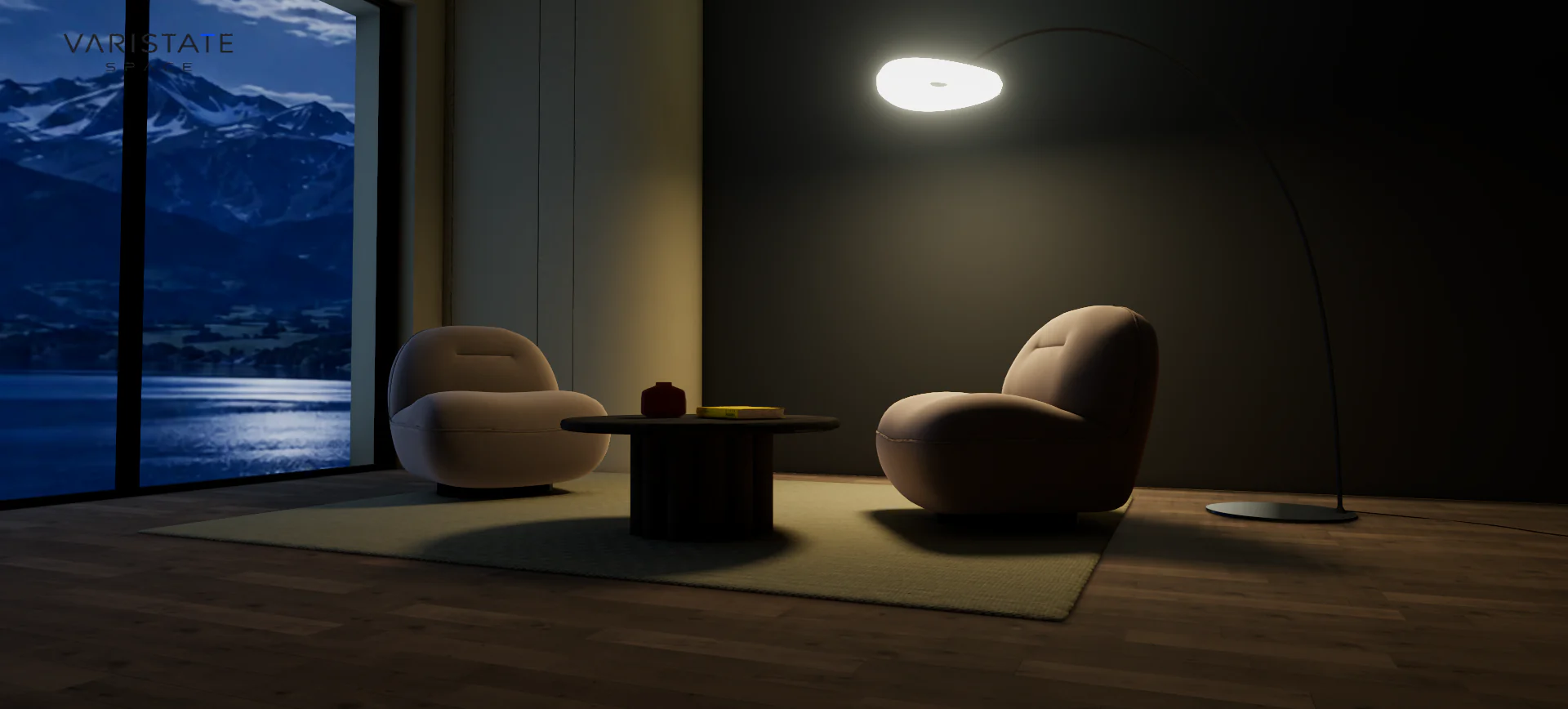
The fixed SPACE lounge can use authored day and night lightmaps because the staged arrangement stays in place. That is a useful trade. Lighting prepared ahead of time gives the browser detailed illumination without calculating every bounce during interaction. It also establishes a boundary: moving the furniture or changing the architecture would ask the lighting solution to describe a different room from the one that was baked.
Finish changes have a related limitation. A darker wall can update its direct appearance while the stored indirect illumination still reflects the authored setup. I keep that boundary explicit in the lounge case study. The configuration is useful for comparing surface combinations, but the existing bake does not become a fresh physical simulation every time somebody tries an olive wall or a cool grey floor.
The editable SPACE planner has different demands. Room dimensions, openings, and object placement can change. Its environment, daylight, interior lights, architectural shadows, and window-related effects need to remain useful through those edits. A lighting setup that depends entirely on one fixed arrangement would be a poor match. I accept real-time approximations here because the room needs to respond while the visitor is still making spatial decisions.
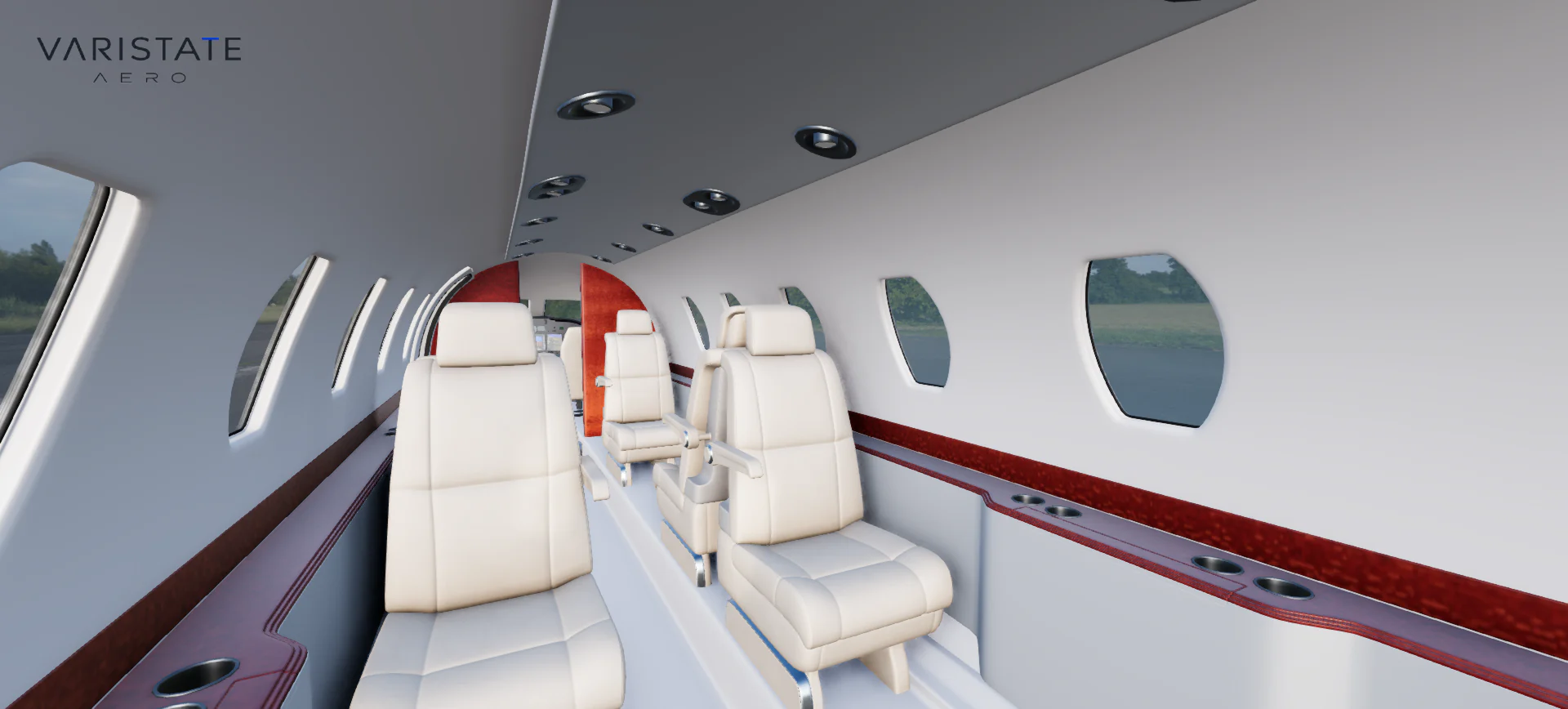
AERO takes another route inside its cabin: daylight and environment lighting work with baked geometry occlusion, while the current build leaves out the earlier artificial fixture bake. That lets the main directional light respond as the aircraft changes context. The pale upholstery also needs restraint in its contact shading. Too much occlusion can make a clean light seat look dirty, even when the geometry and texture are perfectly reasonable.
Separate the material layers that people can see
Paint, varnished timber, upholstery, and glass should not share one generic shiny response. A clearcoat layer helps describe a reflective finish over the underlying surface. Sheen can support fabric, and transmission supports thin transparent surfaces. The Three.js physical-material documentation describes those properties and their added shading cost. I use them where the visible surface benefits, with the texture detail underneath still doing its own work.
Glass is a good test of whether those relationships hold. A windscreen needs to reflect the setting while preserving a useful view into the cabin. Camera angle matters too: a surface that looks nicely transparent from the front can become overly bright or strangely flat at an oblique angle. I check it against both exterior reflections and interior readability.
Texture preparation can make an equally large difference. In the lounge, the close upholstery view uses an optional original lossless normal map after the converted JPEG version weakened the fabric relief. It loads when the chair is close and occupies enough of the view. That is a focused quality improvement: spend the additional texture budget where a person can see the benefit, while keeping the ordinary distant view lighter.
Changing the time of day means changing relationships
The lounge evening mode coordinates baked illumination, the window photograph, lamp emission, exposure, and reflection response. A darker daytime image would leave the lamp looking like a bright decoration inside the wrong lighting setup. The evening scene needs the light around the chairs and table to make sense as a consequence of the visible lamp, with the cooler exterior still providing a different visual reference beyond the glass.
AUTO has the same broad responsibility outdoors. Its night setup changes the sky, terrain treatment, reflections, shadows, and dust together. The headlights combine visible emitting surfaces with light on the ground and restrained atmospheric volumes. Each component needs the moving vehicle to remain their shared reference. A convincing headlight effect is partly about brightness and partly about what it illuminates, where it stops, and how it changes with the viewing angle.
For comparison, I try to preserve the selected finish and useful framing across a light change. Otherwise a person is comparing a different material from a different angle in a different environment. That may produce a nice gallery, but it weakens the material decision. Holding some things constant makes the changed lighting easier to interpret. It is an interface choice that also makes rendering problems easier to spot during development.
Water and weather make small mismatches louder
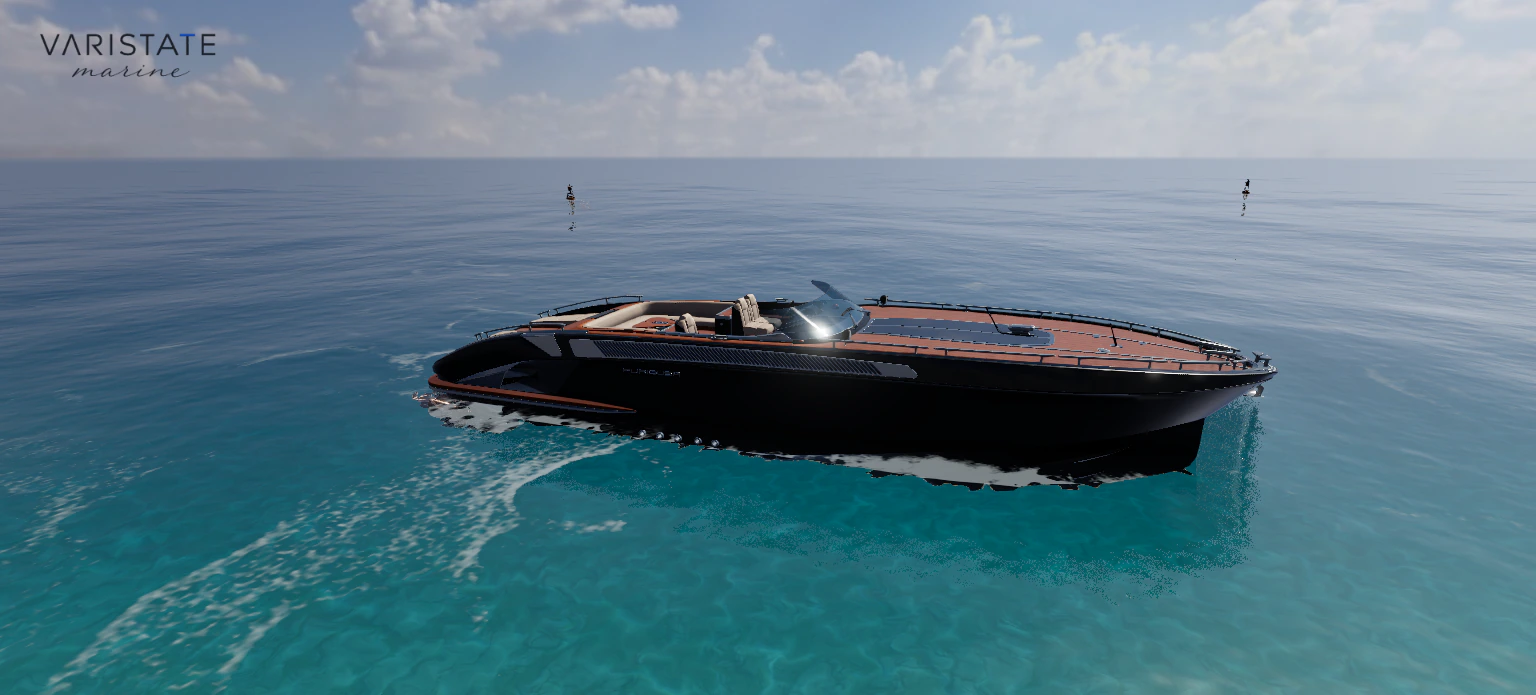
In Marine, the water provides a large moving reflective surface close to the hull. The boat follows sampled wave motion, the wake describes travel, and the interior masks keep the ocean outside the cabin. Those pieces need to work together. A convincing water shader beside a floor that changes shade whenever a crest passes underneath still leaves an obvious mismatch in the overall experience.
Rain adds another material state. Exposed paint, teak, upholstery, and glass gradually get a wet film and droplets, while sheltered cabin areas remain dry. The wet response follows the yacht as it moves. I want the surface to tell the same story as the weather around it. The Marine article covers those masks and the way the wake stays separate from the underlying ocean detail.
Every added response has a browser cost
A more capable material can add work per pixel. Reflections, shadows, transmission, multiple material layers, and extra captures all draw from the same practical budget. I consider that budget alongside the intended camera distance and device. A very high render resolution can make the image sharper while making interaction less comfortable. For a configurator, responding well to the next choice is part of the visual quality being delivered.
Marine makes the trade explicit through Performance, High, and Ultra profiles. They change water, skies, reflections, shadows, antialiasing, and resolution together. Ultra also chooses a yacht derivative with a higher-resolution interior colour atlas. That is a specific asset choice rather than a claim that every texture is upgraded. Describing the difference accurately helps connect the visible improvement to the actual memory and rendering work involved.
The projects use different ways to avoid repeating expensive work. Marine caches a small set of atmosphere resources. The lounge loads and caches its optional night bake, staging the upload. AERO delays the heavier flight environment until departure. None of those strategies makes the resources free. They choose when the work happens so that changing a finish or moving a camera does not unnecessarily become another full loading event.
Judge the whole comparison, then the nice image
When reviewing a scene, I want a neutral or clear daylight reference, a darker material option, a close detail, and another useful lighting condition. Those views expose different weaknesses. A black hull tests reflection readability. Pale cabin seats expose excessive darkening. Evening tests the relationship between visible lights and illuminated surfaces. The goal is to make the configured product legible across those situations, while keeping the atmosphere that gives the experience its character.
A screen preview still depends on the display, source data, and lighting assumptions. For real finish approval I would connect it to verified material references and physical samples where colour matters. The browser presentation can explain relationships and support comparison without carrying the whole burden of colour approval. That boundary lets me talk about the value of interactive visualization precisely, rather than making an attractive screenshot stand in for every part of a purchasing decision.
Across the VariState projects, the foundation is consistency: materials retain their detail, lighting belongs to the visible setting, and the budget leaves room to interact. The room-planner write-up shows why editable spaces need different compromises from a staged lounge. I choose the rendering approach around the decisions the visitor needs to make, then judge the result by moving through them.