
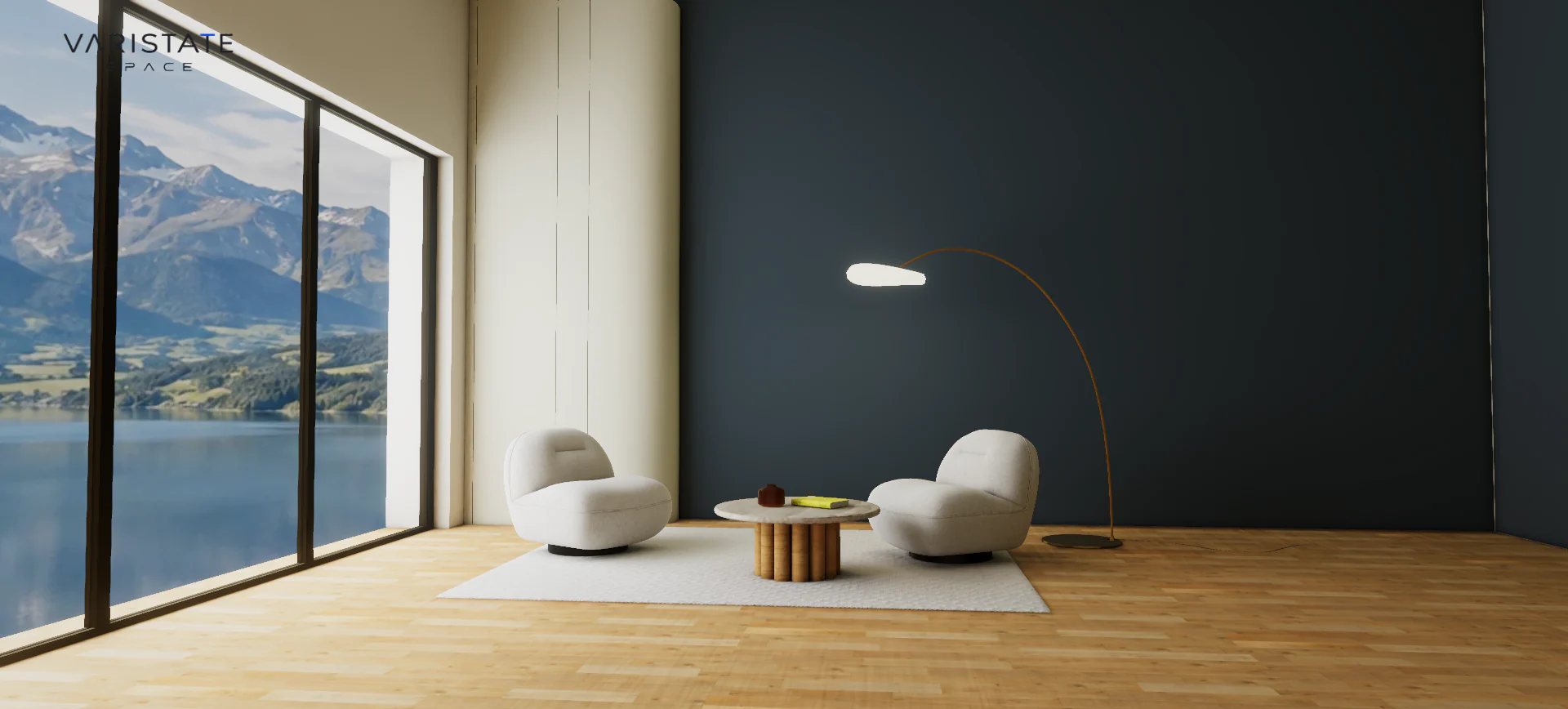
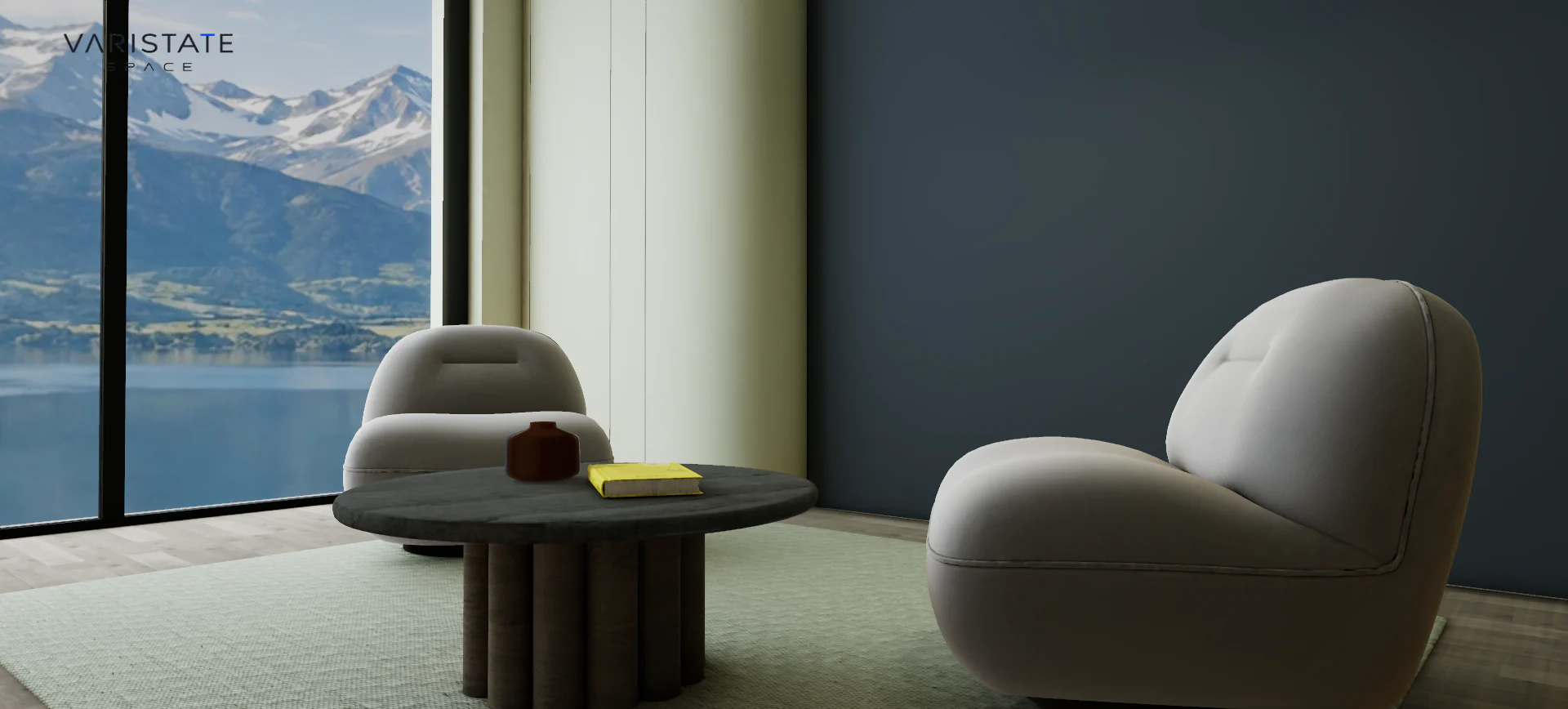
Two cream chairs, a round table, one arc lamp, and a huge window. It is a fairly small set of ingredients. Change the floor and the wall behind them, though, and you get a very different room. Switch to evening and the lamp becomes the centre of the composition. That is the part of interior visualization I find interesting: the geometry can stay still while your reading of the space changes completely.
The VariState SPACE lounge is my focused interior experience around those changes. It is the separate SPACE version built from an authored room, with finish choices, day and night, orbit navigation, and a constrained walkthrough. The latest gallery adds new palettes and viewpoints to the same lakeside lounge. It is not an extra room planner hiding behind the same name, and those newer photos are not a third project.
A smaller scope gives the materials more room
In the SPACE room planner, you can work on the arrangement and structure of a space. Here I deliberately start with a staged room. The furniture keeps its place while the visitor looks at surface combinations, lighting, and viewpoint. That makes it easier to compare choices. You do not have to remember whether the dark wall looked better before or after moving three pieces of furniture and changing the camera.
This is also an honest description of the current build. The chairs and table belong to the supplied room staging. There is no replacement furniture catalogue or object-placement editor in this version. Those are possible future stages with their own asset and lighting work. I prefer to show a useful, specific experience and explain its boundaries. A broad feature label would make this sound larger while telling you less about what I actually built.
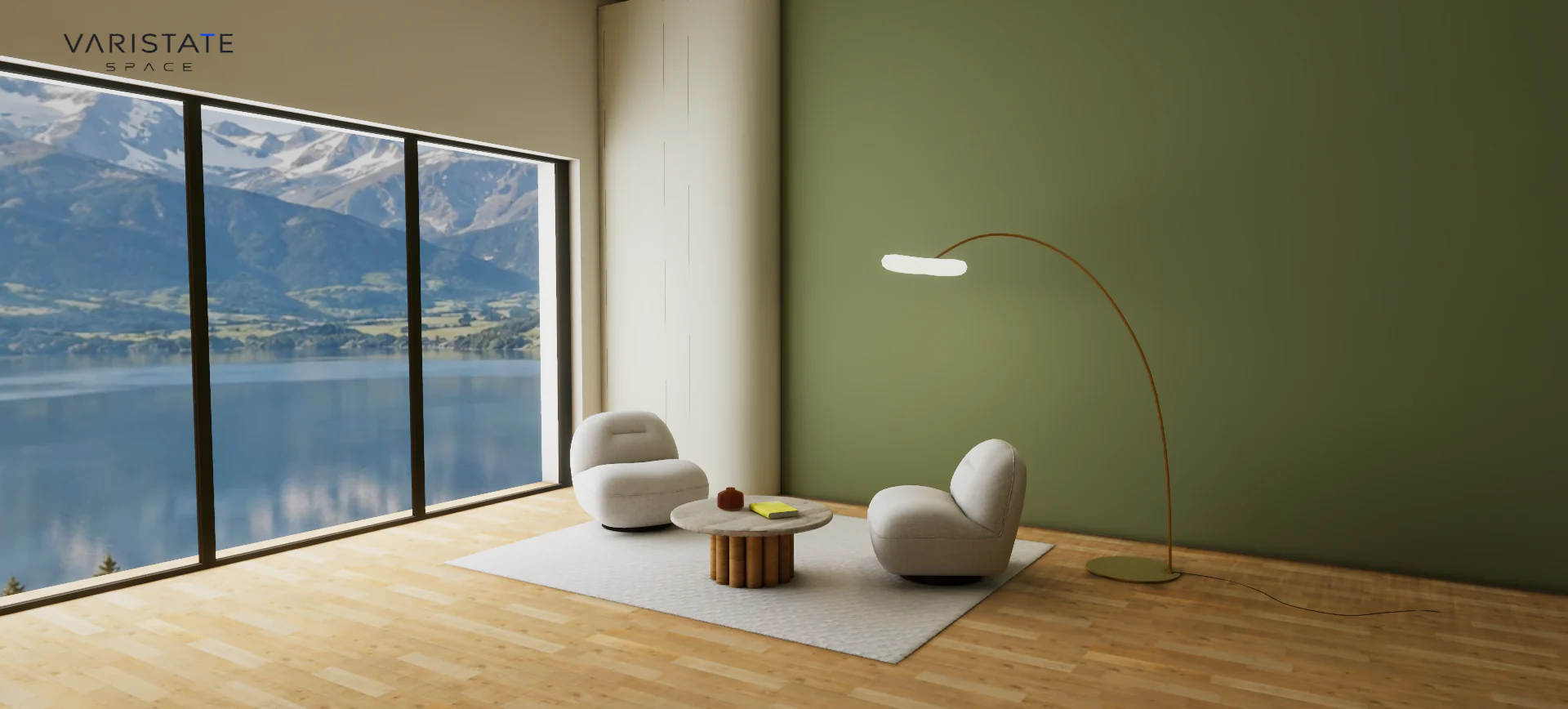
Eight finish groups, with a way back
The finish panel covers the accent wall, remaining walls and panels, chair upholstery, rug, floor, tabletop, wood table, and lamp details. I grouped the options around things a visitor can identify in the room. That is more natural than exposing the internal material names from the asset. Nobody should need to understand a scene hierarchy to say that they want to try a darker tabletop or a cooler floor.
Every group includes an Original option. I like that small detail because it turns a change into a reversible experiment. Try the darker floor, look around, and return to the supplied appearance if it does not work. The choice is not a commitment. It is also useful during development: the authored room remains a known reference when I am checking whether a material adjustment has accidentally changed something else.
The finish changes preserve the underlying texture grain, normal detail, roughness, and lighting. A wood floor should still read as wood after its tint changes. Upholstery needs to keep its surface character. Replacing every material with a plain color would make the feature technically work while throwing away the things that made the room worth exploring. The visible decision is simple, but the material binding needs to be quite selective underneath.
A transition should survive an impatient person
Colors change through a spatial sweep across the surface. That gives the selection a visible direction, instead of making the room blink between states. The awkward case is rapid input: choose a finish, choose another before the first animation ends, then change your mind again. If every transition restarts from its original color, the room jumps backwards each time. The animation becomes a distraction from the choice it was supposed to explain.
In this version, a new swatch begins from the colors currently displayed. The finish system keeps a bounded color profile for each group, so it does not need an ever-growing history of interrupted changes. The material instances stay stable as well. It is a fairly technical fix for a very ordinary behaviour: people click around. Reduced-motion preferences apply the change immediately, which is a better response than insisting that everyone watch the sweep.
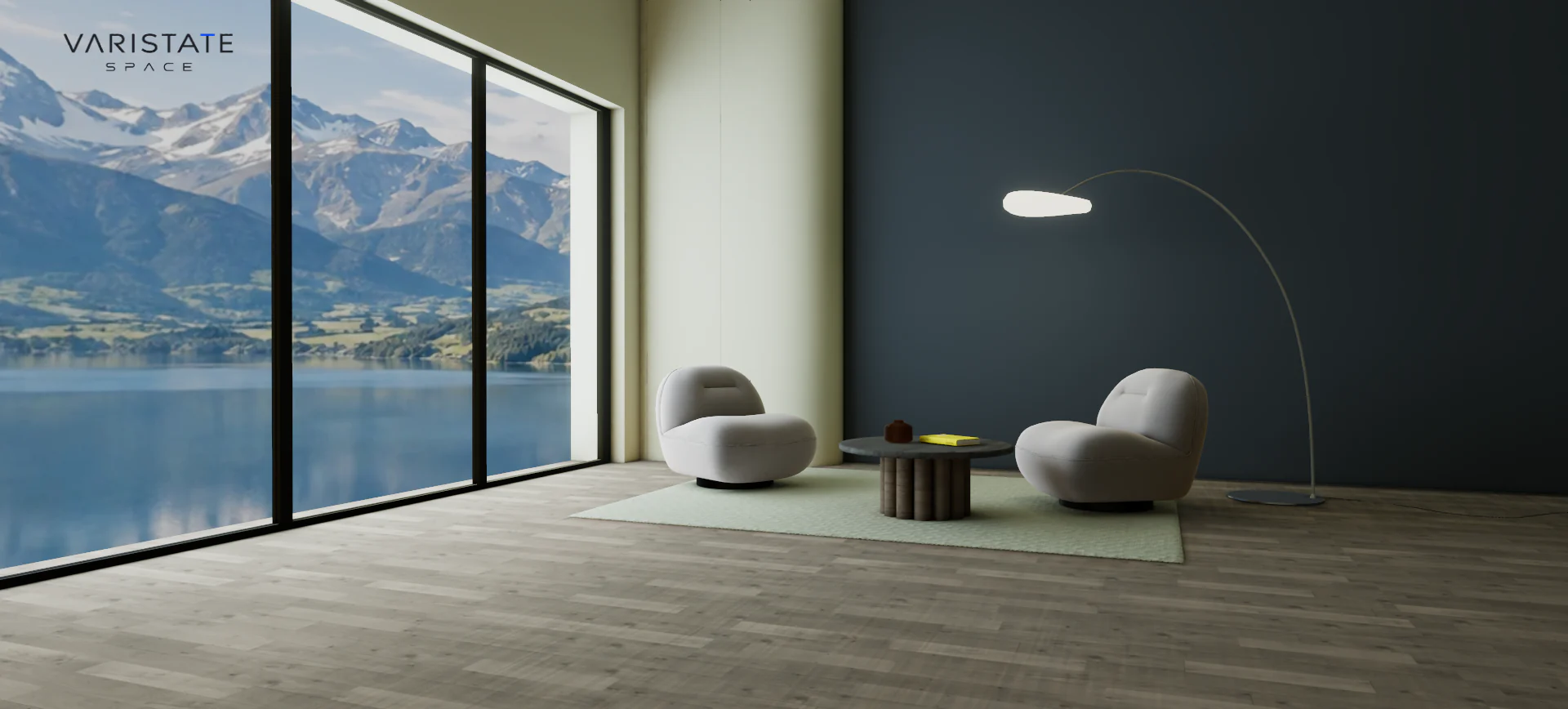
Baked lighting is a decision about what can change
The room comes from an authoring workflow that prepared its geometry, materials, texture coordinates, and baked lighting. The application loads the prepared GLB and matching day and night lightmaps. A lightmap stores lighting information ahead of time, so the browser can use that authored illumination while rendering the room interactively. That is a good fit for a staged interior where the walls and furniture are staying in the same arrangement.
The general mechanism is described in the Three.js material documentation: a lightmap contains pre-baked illuminance, while normal maps influence surface lighting without changing the geometry. In this project, those are different layers of the appearance. The baked light supplies the room illumination; material detail helps the chairs, wood, and stone respond as surfaces. Keeping those roles distinct makes problems much easier to diagnose.
There is a limit I want to be clear about. Changing a finish does not recompute all the indirect color bounce in the bake. A wall may have a new tint while the underlying light transport still comes from the original authored palette. For exploring related finishes in a fixed room, that can be a useful compromise. For a final approved palette that needs accurate indirect lighting, I would rebake it rather than claim the runtime change has solved everything.
The same applies even more strongly to moving furniture. The baked textures contain the original furniture shadows and occlusion. Simply hiding a chair can leave its shadow behind, which is a pretty good way to ruin the illusion. Replacing the staged collection needs geometry preparation, refreshed lighting, and matching bindings. That is why a future furniture editor is a separate piece of work instead of a button I can honestly promise by adding another menu.
Day and night need to change together
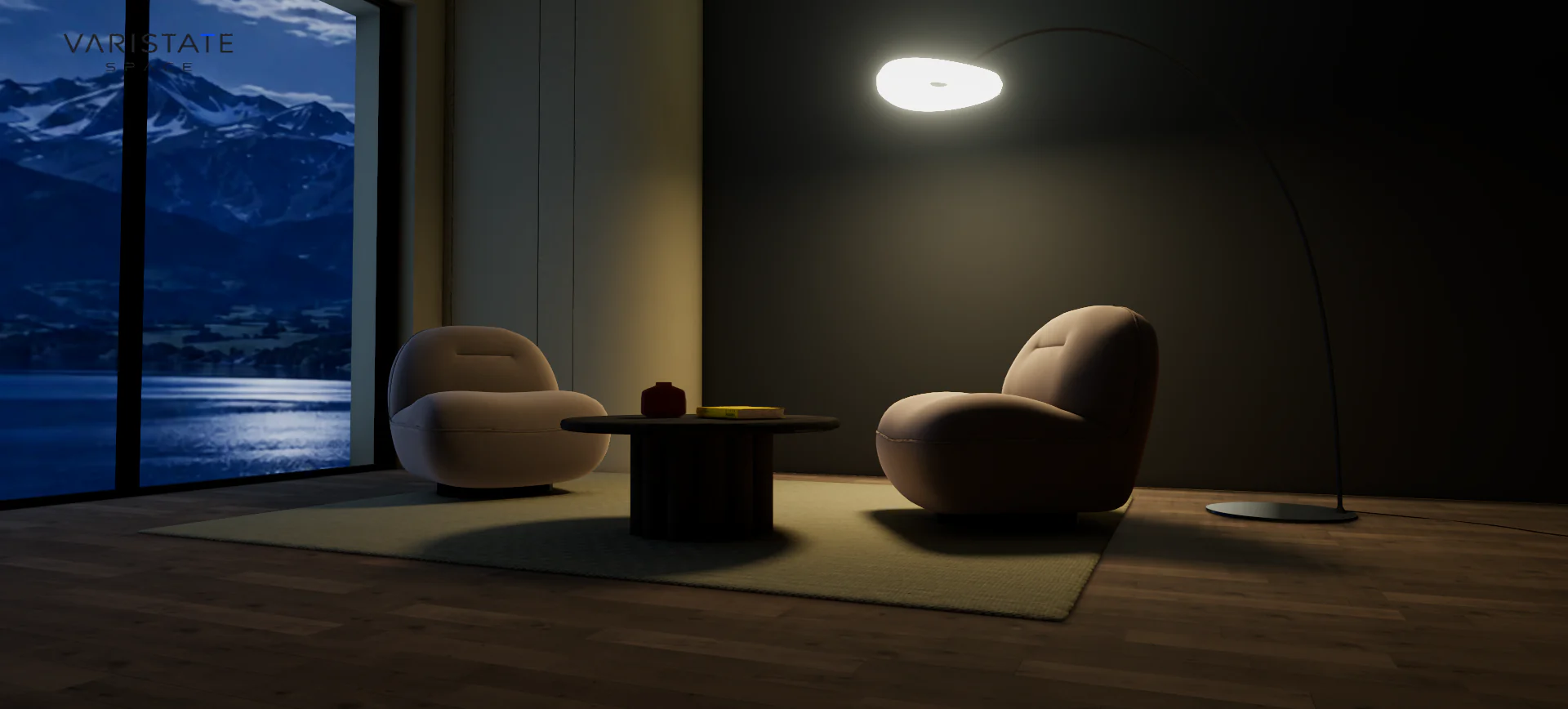
The day and night switch coordinates several parts of the scene: the baked room illumination, the photograph beyond the windows, lamp emission, exposure, and local reflection response. Dimming the whole image would not be enough. The evening room needs a different relationship between its bright interior surfaces and the cool landscape outside. The lamp should feel like the reason the furniture is lit, rather than a bright object pasted into a darkened daytime render.
The transition blends those parts over a short interval, and an interrupted change starts from the displayed state. That continuity matters here too. A visitor should be able to switch back to daylight without the room snapping through a hidden intermediate setup. Selected finishes remain selected across lighting changes. Otherwise a person trying to compare a floor at two times of day would accidentally be comparing two different configurations as well.
Fix the source of a lighting problem
One update in this version deals with uneven indirect lighting on the walls. The solution was a refined wall bake, with the original geometry, UV layout, and light setup retained. The other objects keep their supplied lighting. I like this kind of targeted correction because it works at the source of the problem. Blurring the final image could hide some blotches, but it would also soften details that were already doing their job.
There is a cost to that choice. Higher-quality lighting textures take memory, and caching both day and night is heavier than showing one fixed state. The project decodes the optional night bake in a worker after reveal and stages its uploads, then reuses the cached resources. That keeps the lighting switch from becoming a full reload. It does not erase the memory cost, so I treat texture storage as part of the design budget.
Reflections should follow the room too
The window photograph is only part of what a reflective material should see. The room around the material matters as well. This experience uses a local reflection capture to keep the metal and glass response related to the current interior and lighting state. After a finish change settles, the capture refreshes. Otherwise you can end up with a surface reflecting an older version of the room, which is subtle until you start looking for it.
The current scheduling spreads a capture across idle frames instead of doing every cube face in one burst. Existing targets and the visible reflection resource are retained. That is the sort of performance work I enjoy: changing when the work happens and what can be reused, rather than immediately reducing the visible quality. A photograph export waits for the latest complete reflection state, so its still image is not caught halfway through that update.
The chair texture only matters when you can see it
The chair detail has its own small story. The converted source normal map had been compressed as JPEG, weakening the fabric relief. The current build requests the original lossless normal only when a visible chair is close enough and occupies enough of the viewport. Both chairs share that optional texture. At a distance, the application blends back to the ordinary detail, without replacing the geometry or creating another set of materials.
That is a useful reminder that asset quality is not just a polygon count. Here, the chair silhouette was already present. The issue was how light read across the upholstery at close range. Adding geometry would have answered a different question. Restoring the right data, at the moment it becomes visible, gives the close view something worth looking at without asking every visitor to pay for that texture before seeing the room.
Walking changes how you judge a finish
Orbit navigation gives a comfortable first look. Walk mode lets you move into the room at standing eye height, using keyboard controls or a mobile movement pad. The camera stays inside the shell and outside the staged furniture. Entering and leaving Walk use a short camera flight, with a return to the previous orbit view. Reversing the transition starts from the current pose, so changing your mind does not teleport you somewhere unexpected.
This matters for finishes because their appearance changes with context. A dark wall can look calm in a wide view and much more dominant when it fills your screen. A table seen from across the room tells you little about its top surface. Letting someone explore those viewpoints is more useful than presenting every option from a single perfect angle. It also puts more responsibility on the camera constraints, since nobody should have to rescue themselves from inside a chair.
What the browser build actually contains
The current application is TypeScript and Vite, using Three.js and a portable VariStateEngine package. It chooses WebGPU where supported and falls back to WebGL 2. The public interface stays compact, while a separate developer route holds the rendering controls and parameter export. That separation lets me tune the room without making a visitor decide what ambient occlusion intensity should be before they can choose a rug.
There is also a photo route for exporting a clean branded PNG. It captures the room with the selected finishes and lighting, leaving the interface out of the picture. The project gallery includes an updated walkthrough film showing finish choices and camera exploration. Those outputs are useful evidence of the work, but they are not a substitute for explaining its scope: this is an interactive interior finish study and a foundation for a later furniture collection.
You can browse the latest images and film on the SPACE lounge project page, and contact me for access to the experience. I wrote more about the wider material and light relationship in lighting 3D products for the web. What I like about this room is how little needs to move for a choice to feel meaningful. A floor, a wall, a different hour. Sometimes that is plenty.