
A private jet has two quite different personalities. From outside it is a long, reflective shape with wings, engines and a lot of sky around it. Inside it becomes a small room. Seats, window light, aisle width and the position of your eyes suddenly matter more than the silhouette. I wanted VariState Aero to give both sides enough attention, and let somebody move between them without feeling as if they had opened a completely different demo.
The current project connects a parked aircraft presentation with an interactive flight environment. You can choose exterior finishes, open doors, walk up the steps, explore the cabin, sit in a passenger seat and see the same aircraft above the clouds. There is quite a bit going on. The interesting work is keeping those actions understandable while the scene, controls and lighting change around them.
One aircraft across two experiences
Aero uses Three.js r185, TypeScript and Vite. The renderer is Three.js WebGPURenderer, with WebGPU first and a WebGL2 fallback. That fallback is part of the renderer's documented behavior, and I keep an explicit way to exercise it during development. The Three.js renderer documentation explains the backend selection. In this project, both paths share the node-based materials, so the material work stays connected across the two rendering backends.
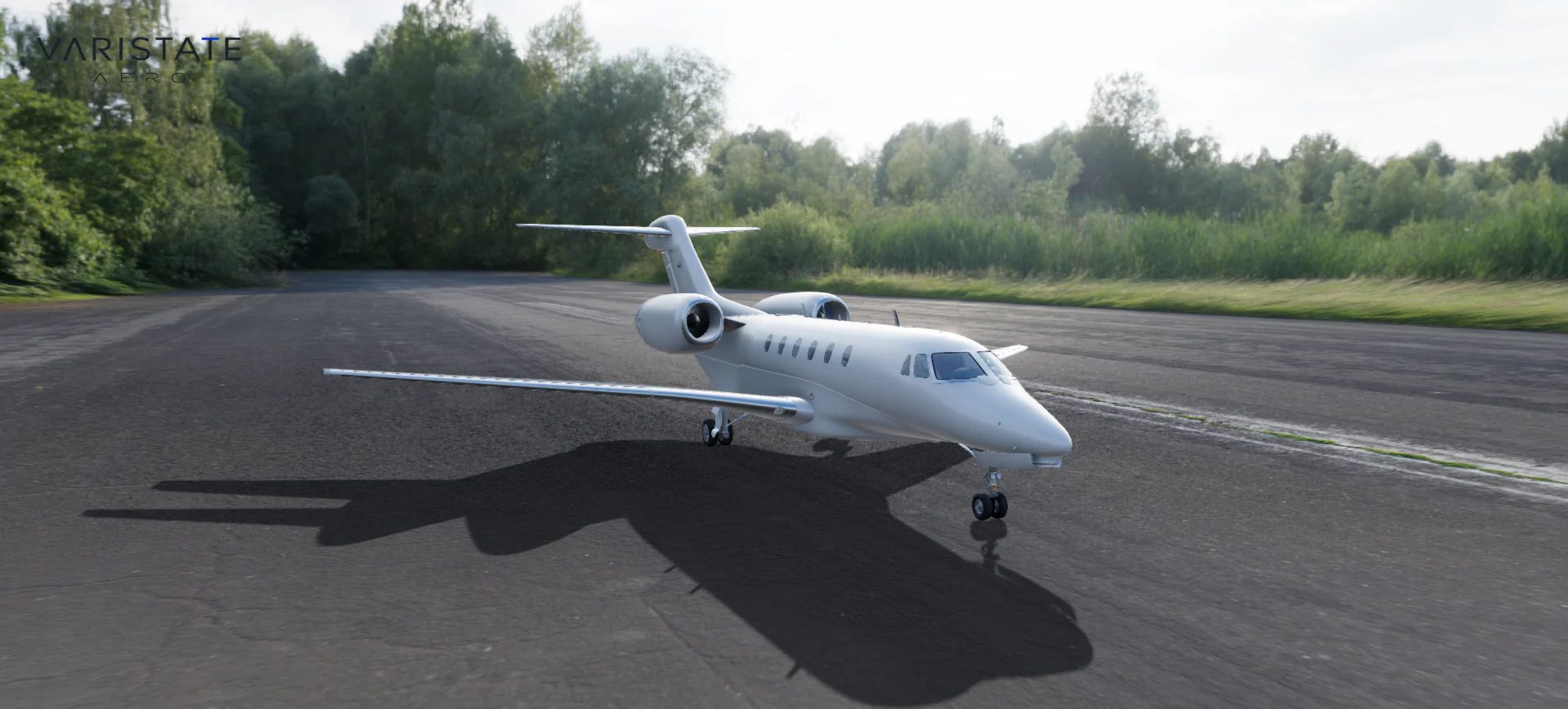
The airport and flight have separate scenes and their own environment resources, but share the renderer, camera and aircraft. When flight begins, the same aircraft root moves into the flying scene. Its finish comes along with it. This makes a practical difference: selecting a dark exterior on the runway and finding a default white plane in flight would break the whole idea of configuring your aircraft. Shared ownership keeps that relationship explicit.
Preparing the model means preparing its behavior
The furnished jet starts from a purchased source model. My work here includes preparing that asset for the web and building the interaction around it; I am not claiming to have modeled the aircraft from scratch. The source contains named meshes for the cabin, door panels, gear, fans and flight surfaces, but it does not arrive with a mechanical rig ready for this experience. Those are very different starting conditions.
The preparation pipeline converts the source orientation and units into the application's metre-based coordinate system, resolves the textures and exports a Draco-compressed GLB. Then the runtime reconstructs useful pivot groups around the measured geometry. An entry door needs its hinge at the mating seam. Landing gear needs a sequence that respects the surrounding structure. Moving an object around its imported origin is rarely enough, even when the mesh name looks promising.
This is why I think asset preparation belongs in the configurator discussion from the beginning. A mesh can render correctly and still be awkward to configure, animate or navigate. Naming, separation, scale and pivot placement become part of the interface long before a button is drawn. The same general problem appears in my web model optimization article: the useful output is an asset that can support a specific experience.
Paint changes should keep the aircraft intact
The exterior finish system targets the body, wings and tail materials. It leaves the glass, engine details, undercarriage and interior alone. The original texture atlases remain in use, including their markings and surface detail. Physical clearcoat gives the paint its outer reflection response. There are five choices including the original appearance, so comparison happens on one consistent aircraft instead of a collection of almost-matching material replacements.
A soft reveal travels along the aircraft when a finish changes. The normal sweep takes 1.05 seconds, and a new selection can retarget the blend before the previous change has finished. The reveal is evaluated in aircraft coordinates. That detail sounds dry until the plane is moving: the transition belongs on its fuselage, rather than hanging in a fixed piece of world space while the jet flies through it. Reduced-motion preferences complete the change immediately.
It helps to think about the material as a set of separate responses. Base color describes one part of the surface; roughness controls how broad the reflection becomes, and clearcoat adds another reflective layer above the base. The Khronos PBR guide gives useful examples of those properties. On a long aircraft body, their relationship is especially visible. A highlight travels across a lot of uninterrupted surface, so an overly sharp or flat response has plenty of room to announce itself.
The airfield photograph and the lighting need to agree
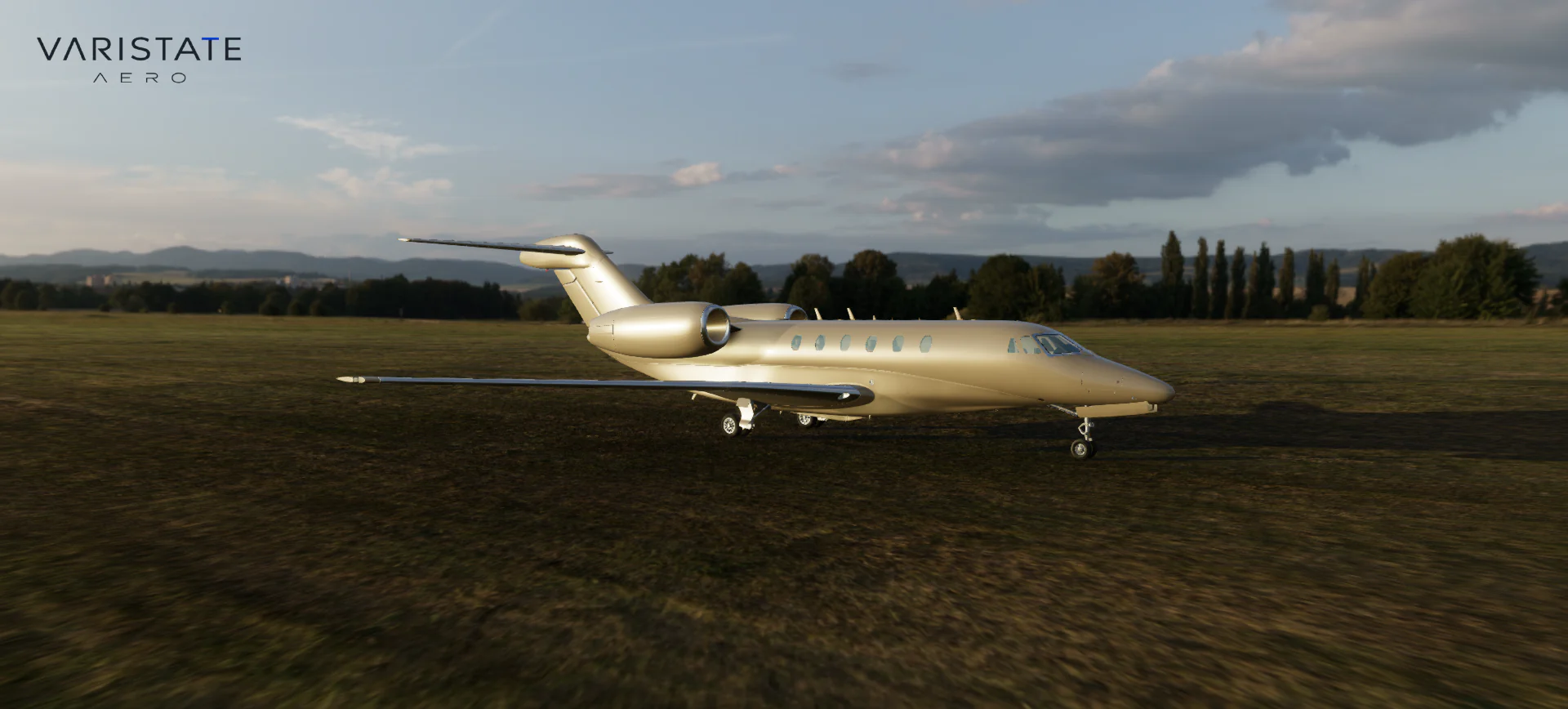
The parked aircraft uses a projected panorama, image-based reflections and a local ground shadow. Broumov Runway is the fresh-session default. Other supplied environments are available through the authoring controls, including sunset and airfield views. A panorama is a useful way to place a detailed product into a photographed setting, but it also creates constraints. It cannot provide the same building parallax as a modeled airport when you move around.
I keep projection height, panorama rotation, reflection orientation and directional sunlight related. If the visible sun suggests light from one side while the aircraft shadow points somewhere else, the materials stop making sense. More gloss will not repair that. The local shadow gives the wheels contact with the ground, while the environment supplies the broad reflections that describe the long fuselage. Each has a different job in the final image.
A light cabin needs more care than brighter exposure
Inside, the current build uses natural daylight and environment lighting with baked geometry occlusion. It does not load the earlier artificial cabin-fixture bake. That matters because the jet can turn, move between environments and fly under clouds. A fixed patch of sunlight painted into the upholstery would stay there when the real light moved away. The baked maps describe nearby obstruction and contact, leaving the directional light free to change.
Ambient occlusion helps seats sit against their surroundings, but it can also make a pale cabin look grubby if it removes too much indirect light. Aero includes an albedo-aware approximation for that indirect diffuse response: light upholstery returns more of the energy that a simple darkening term would lose, while dark upholstery stays more absorbent. This remains an approximation. The cabin is using real-time lighting and visibility maps, rather than a full simulation of every daylight bounce through the windows.
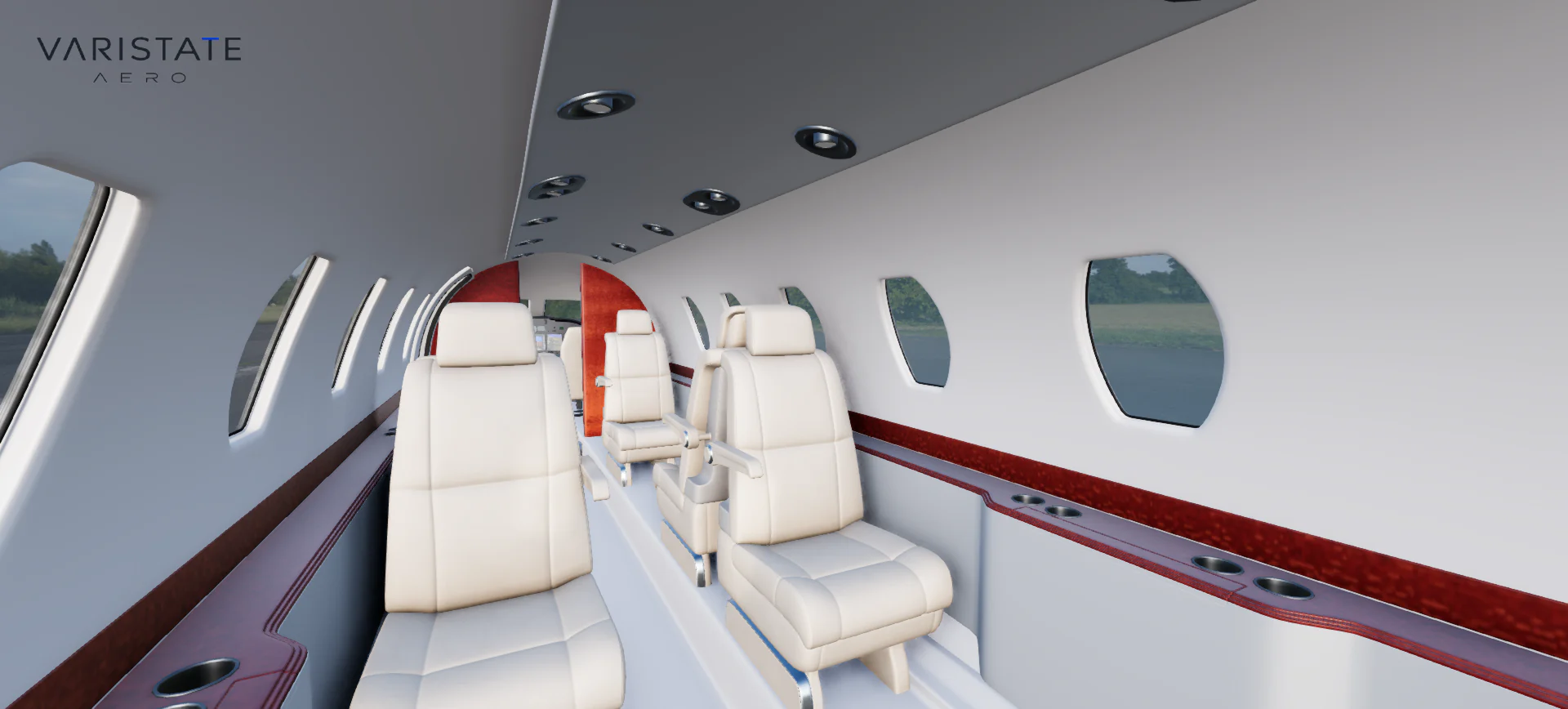
Seat upholstery has its own five choices, from Sand to Charcoal, and uses the same kind of spatial reveal as the exterior. The original grain and material response stay in place. I like this separation because a customer can compare the feeling of a lighter or darker cabin without accidentally changing the walls, side ledges or cockpit. A material option should have a clear area of influence. Otherwise every selection becomes a small guessing game.
Walking into a cabin is a camera problem and a space problem
The direct Interior action opens the entry and moves the camera through the doorway. Walk around takes a more continuous route: across the apron, up the deployed steps, through the vestibule and along the aisle. The eye height rises on the stairs and adjusts for the compact cabin. Closed fuselage sections, wings and seats constrain movement, and the entry cannot close while somebody occupies the stair or threshold. Those boundaries give the walk a useful sense of physical space.
The navigation uses measured routes and conservative footprints authored for this aircraft. That is a deliberate scope choice. I do not need a general-purpose character controller with every possible collision case to let somebody inspect these seats. I do need a predictable way through this particular doorway. The controls also separate navigation choices from exterior camera presets, which avoids making a nice front view and a walking mode compete for the same meaning.
A seat position is more than a mesh origin
All eight passenger seats and both cockpit seats can be occupied. Some passenger meshes contain two chairs, so their object origins cannot tell me where a person's eyes should end up. The seat controller instead uses the measured cushion and backrest bounds. Sitting moves the camera over the armrest before lowering into position. Standing reverses that route into the aisle. It is a small action, but a straight line through the armrest would be immediately obvious.
The same seat relationship continues during flight because the camera pose lives in aircraft-local space. When the jet turns, the passenger stays in the cabin. From the pilot seat, taking control switches into manual flight; standing up engages autopilot before returning to the aisle. Those handoffs are where the feature becomes an experience. A button that says Stand up needs to resolve camera ownership, movement rules and aircraft control together.
Flight adds context, with a clear purpose
Flight begins in cruise above a dense cloud deck, with autopilot available for heading, altitude and airspeed hold. Chase, cockpit, orbit and cabin views offer different ways to look at the aircraft. Control surfaces, gear and audio respond to the flight state. The atmosphere integrates the supplied Sky Pro system, with its attribution retained, while the project connects that environment to the furnished jet, materials, navigation and application lifecycle.
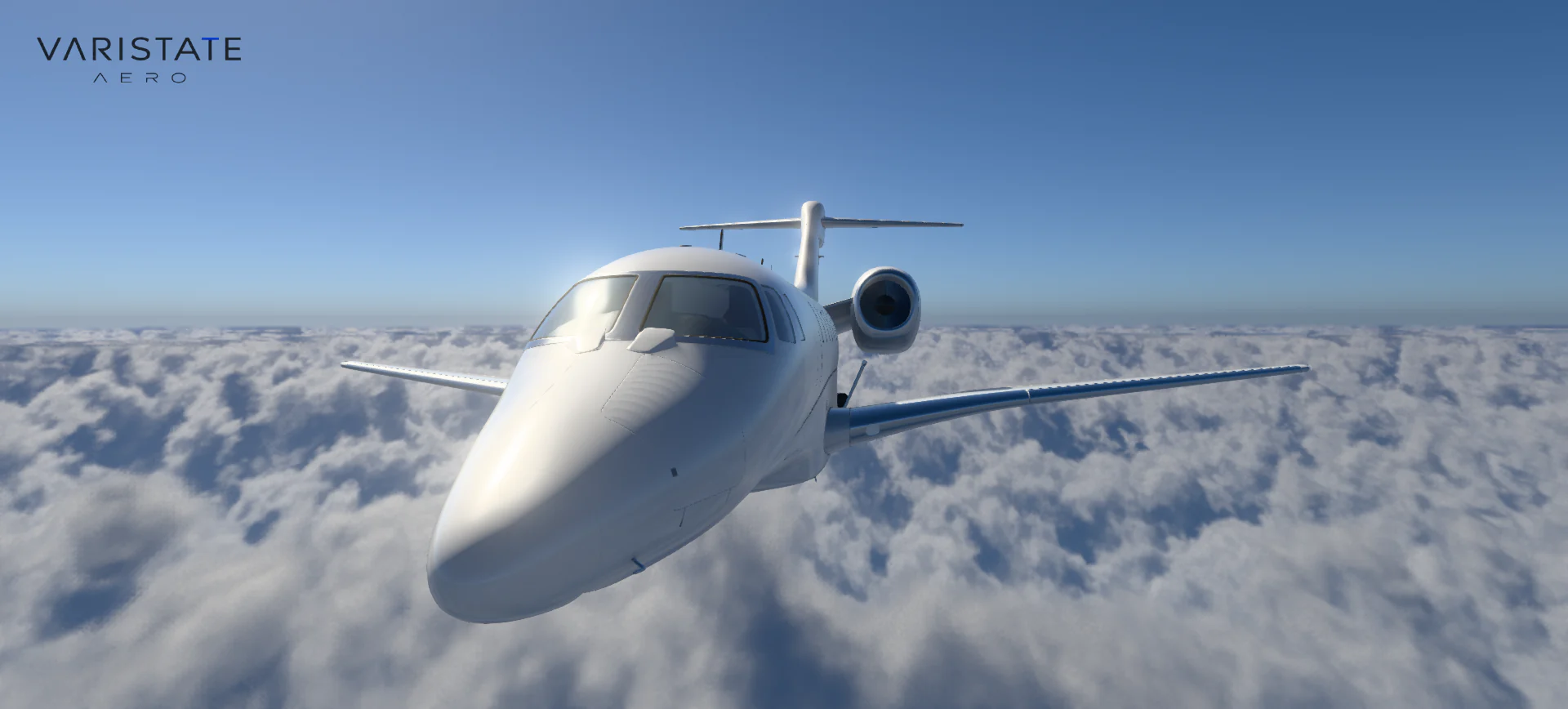
The aircraft uses representative business-jet parameters for the presentation. These are not certified performance figures for a named aircraft, and the parked scene is separate from flight rather than a takeoff and landing simulator. That boundary keeps the project honest. The flight mode helps somebody understand the cabin in motion, enjoy the exterior from new angles and stay with the configured product a little longer. It does not need to pretend to be a pilot-training tool.
Clouds have to affect the aircraft too
One useful detail in the current rendering is the connection between the visible clouds and the aircraft's direct sunlight. A GPU probe samples the cloud field along the sunward direction from the aircraft's altitude. Dense cloud reduces the sharp sunlight reaching the jet; thinner cloud allows more through. Diffuse sky illumination remains separate. Without that relationship, a dramatic cloud environment can surround an aircraft that still looks lit by an unrelated clear-sky studio.
This probe approximates shared cloud transmission over the aircraft, so it does not calculate a separate cloud boundary for every cabin window. Glass also needs careful depth handling so atmospheric processing does not treat distant terrain behind a pane as the pane's own depth. These are the less glamorous parts of a cloud scene, but they matter inside the cabin. The visitor is sitting next to the result, with very little distance to hide a mismatch.
For me, the useful lesson reaches beyond aircraft. A yacht salon, a vehicle cabin or a furnished room can all ask for the same continuity between outside light and inside materials. Giving every interior a flattering permanent fill light is tempting, but it can disconnect the room from its windows. A more convincing product presentation lets the setting influence the surfaces, while still making sure the customer can read the options they came to compare.
Performance is also deciding when work happens
Aero loads the heavier flight environment on the first departure and reuses it afterwards. The airport has its own initial asset path, and the loading interface follows actual progress before offering entry. Rendering resolution is bounded by pixel budgets, with a tighter budget in flight to leave room for volumetric clouds. This is a useful trade: a screen full of extra pixels is not worth much if the camera and controls become unpleasant to use.
I also keep the ordinary product controls separate from the authoring interface. Environment calibration, exposure and render tuning live in a dedicated GUI route. Sound begins after the visitor enters; footsteps follow actual walking distance and stop during blocked movement or camera travel. The project comes together through details like these. The Aero project page shows the current captures, while this article explains the decisions that make the aircraft feel like one connected place.