
A car configurator gets interesting when its choices start to feel connected. The paint belongs to the same car when you open a door. The cabin trim stays selected when you change the light. If you start driving, the view and the materials should come with you. That continuity is a big part of the current VariState Auto project, which has grown into a much broader experience than a vehicle rotating in a nice environment.
VariState is a fictional SUV concept in this demo. It gives me room to build a full configuration and exploration flow without presenting it as an official manufacturer sales tool. The experience includes body finishes, wheels, exterior details, upholstery, cabin trim, two environments, outdoor day and night, doors, walking and driving. The work is making those systems cooperate while leaving the visitor with a fairly straightforward set of choices.
The current build has two layers
The visual experience runs through ThreePipe and Three.js, with a React interface, TypeScript and Vite. ThreePipe supplies the viewer and rendering plugin structure. The application adds vehicle-specific materials, movement, lighting, camera behavior and the configuration state. React handles the panels and controls around the scene. That split helps me treat the vehicle as a persistent interactive object while the interface changes to suit what the visitor is doing.
The main steps are Exterior, Interior and Summary, with Walk around available as another way to explore. I like having those recognizable anchors because the scene itself already has a lot of freedom. Somebody can orbit the SUV, inspect a detail or enter the cabin, then return to a familiar place in the configuration. A complex rendering setup should not require an equally complicated explanation before the first useful click.
Seven finishes means seven authored appearances
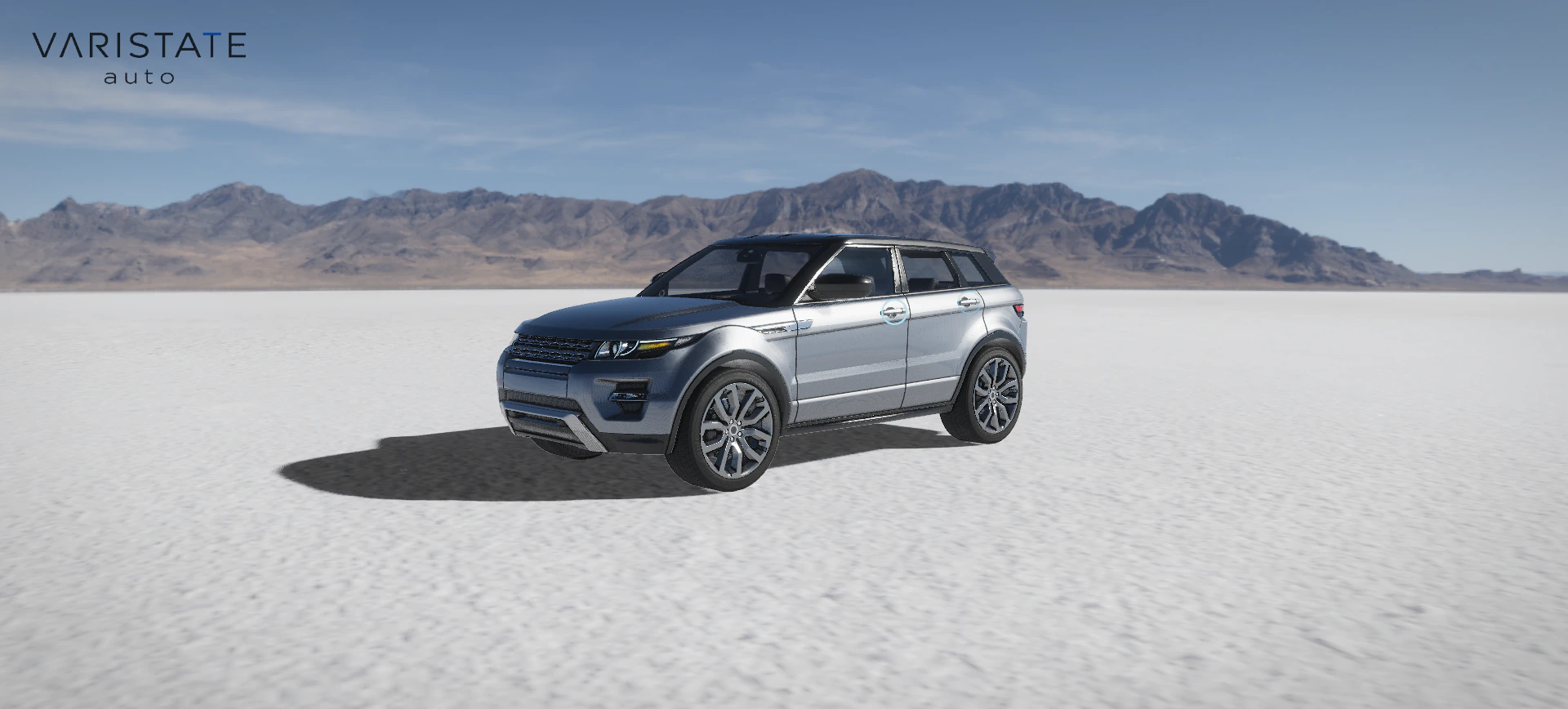
The body choices include Titanium Silver, Glacier White, Obsidian Black, Phoenix Orange, Garnet Red, Atlantic Blue and the Apex 04 Motorsport Livery. These are texture-backed appearance sets from the supplied model. The application does not tint one generic atlas to imitate every option. That is especially important for a livery, where graphic placement, contrasting panels and markings are part of the option itself. A plain color multiplier cannot recreate all of that.
The prepared asset carries scoped material variants using glTF's KHR_materials_variants extension. The Khronos specification defines how named variants map to authored materials on the geometry. The application still owns the configuration logic: which control affects which area, how independent choices combine and how selections appear in the summary. The asset format gives that logic a reliable set of authored materials to work with.
Wheels have eight albedo choices and three independent finish maps. Exterior details can use their supplied chrome or plastic material response. I keep those axes separate because wheel color and wheel reflectivity are different decisions. The same goes for a dark detail part: making chrome black by multiplying its color is not equivalent to selecting the authored black-plastic surface. Roughness, metalness and texture detail need to follow the intended choice.
The transition has to survive impatient clicking
Paint, wheels, exterior details, upholstery and interior trim use a soft spatial sweep. The normal transition takes 1.05 seconds. If another choice arrives halfway through, a shorter retarget blend brings it into the ongoing change. Nobody should have to wait politely for a swatch animation to finish before trying the next one. Fast comparison is normal configurator behavior, so it needs to be an ordinary supported path through the material system.
Underneath, GPU texture arrays retain the original compressed textures and their mip levels. The sweep blends the relevant authored channels, rather than throwing away the texture detail and fading between two flat colors. It also follows the live vehicle and open doors. A reveal that looks fine while parked can look strange once a door rotates away from the body, so the coordinates need to stay attached to the actual moving parts. Reduced-motion preferences skip the animation.
The cabin gets its own configuration rules
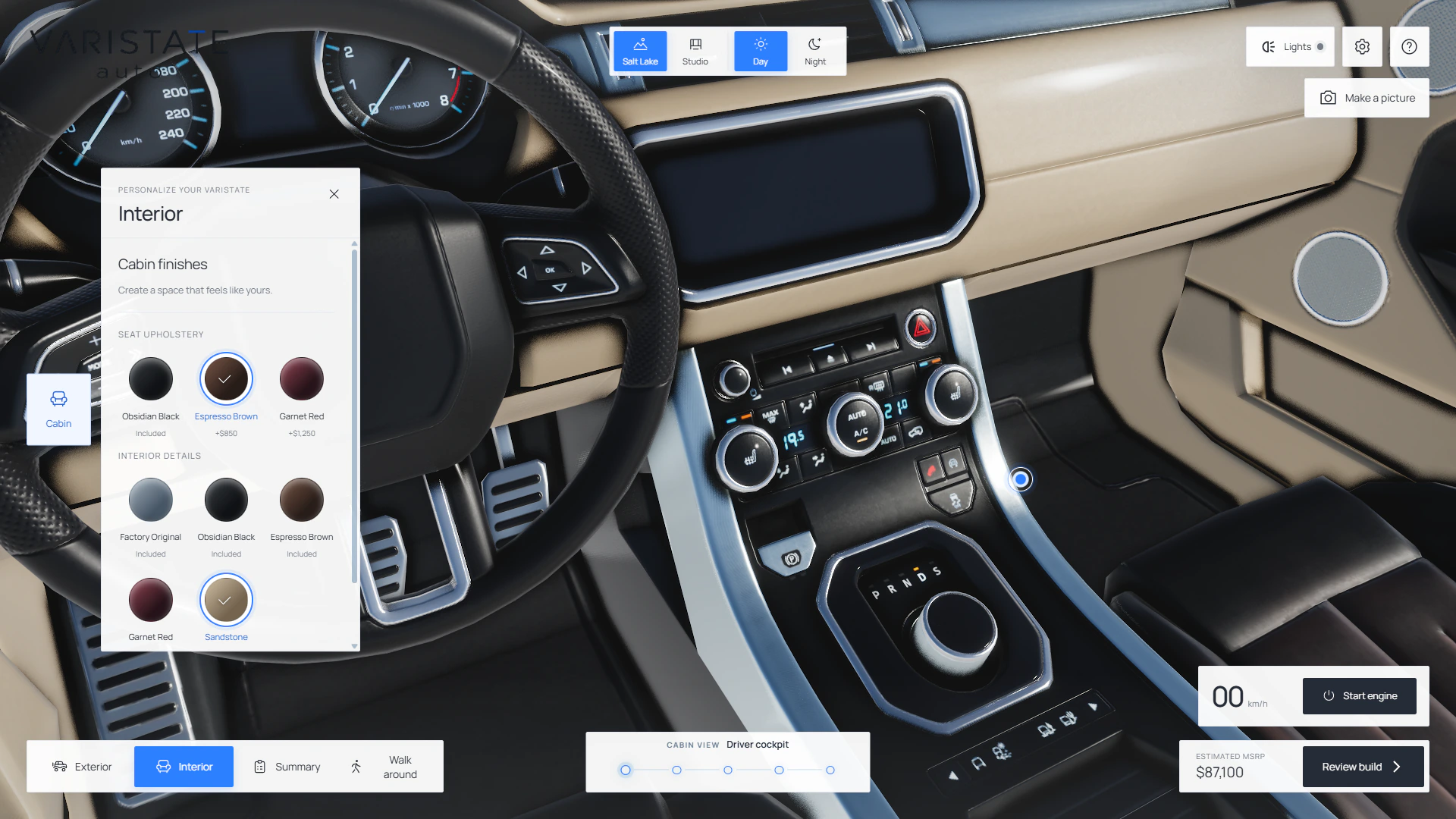
Inside, Seat upholstery and Interior details are separate groups. The seat choices include Obsidian Black, Espresso Brown and Garnet Red, retaining the original leather grain. Interior details use a mask that limits recoloring to the intended trim. Metallic controls, illuminated instruments and the seat materials keep their own response. Factory Original restores the supplied detail atlas, which gives the visitor a clear route back from an experiment they do not like.
The exterior Details panel also separates Standard glass from Privacy tint. Both remain transparent and retain the original reflections; the darker option makes the cabin less visible. This is another case where the word color is too vague. Glass has to preserve its relationship to the interior and environment. If a privacy option turns the windows into solid painted panels, the selection technically changed something, but it changed the wrong thing.
Getting into the car should make spatial sense
At rest, choosing Interior opens the driver's door and follows a measured path through the clear doorway. The door closes after the camera reaches the seat. This needs more care than pushing an exterior orbit target toward the dashboard. Roof edges, pillars and seatbacks all become very close to the camera, and a path that is a little wrong can pass straight through one of them. Measured clearance is a better starting point than endless guesses about a camera offset.
Door handles are accessible interface buttons projected from calibrated anchors in the model. They fade according to the view and animate the four doors independently. Walk around parks vehicle movement and lets the visitor move on foot, with collision against the car and open doors. Near the driver's door, the visitor can sit inside. These actions use the same geometry in different ways, so consistent pivots and known door positions matter throughout the experience.
Two environments answer different questions
Salt Lake is the default, and Studio is the alternative. The salt flat supplies open space, a distant horizon and broad outdoor reflections. Studio is a quieter place to compare materials and shape. I do not need a long environment menu to make the comparison useful. I need the car to remain readable in each setting, and for the choice of environment to preserve whatever the visitor has already configured.
The outdoor scene combines photographic surroundings with a stationary floor scaled in metres. A distant enclosure follows the moving vehicle while the floor detail stays in world space. The same arrangement works during walking, so moving away from the SUV changes its apparent distance without immediately approaching a panorama wall. There are still explicit safe walking limits, with a smaller area in Studio. This is an authored product stage, with the interaction designed around its boundaries.
Night is a separate lighting problem
Selecting Night keeps the photographed mountain silhouette and replaces the sky above it with stars and the Milky Way. The terrain, environment reflections, shadows and wheel dust receive matching night treatment. The night resources download on the first selection and stay cached for later switches. Studio remembers the outdoor time choice while keeping its own white lighting, so trying the neutral environment does not erase the visitor's preferred outdoor setting.
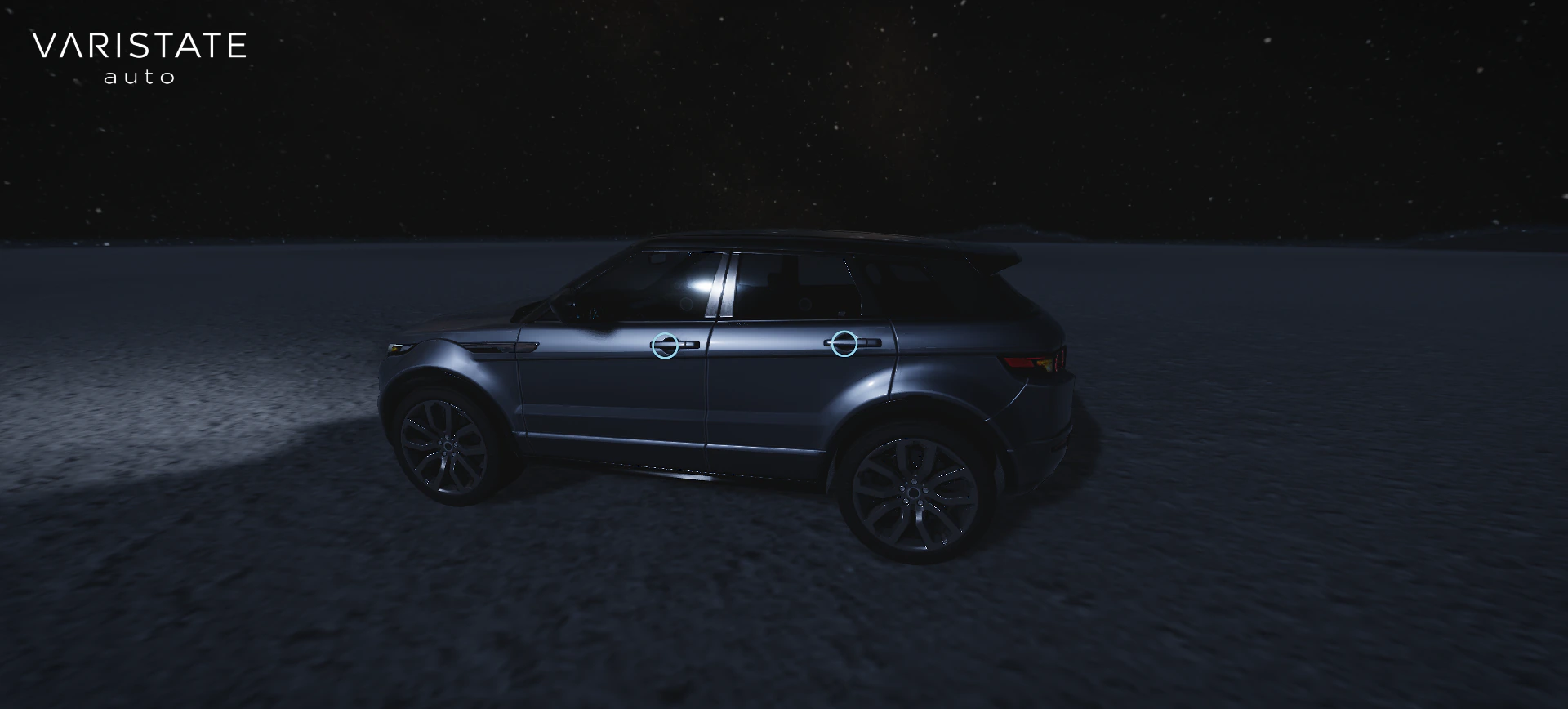
The headlights combine visible lamp surfaces, physical light, textured low-beam pools and soft volumes in the air. Those parts fade together. The volumes are clipped against scene depth and follow the moving vehicle, so the effect can respect opaque surfaces around it. Glare also depends on the view. I want a headlight to feel bright when you look toward it without using an enormous bloom effect to wash out the rest of the car.
Driving moves the actual vehicle
Start engine begins with the SUV at rest, either outside or from the driver's seat. Keyboard inputs accelerate, brake, reverse and steer; touch driving controls are available in General settings. The vehicle moves across the floor, with tyre forces evaluated at four contacts. It has separate sideways and yaw momentum, load transfer, a six-speed drivetrain, ABS and stability-control behavior. This gives the steering and braking something coherent to respond to beyond a direct position update.
I keep the scope clear here too. The calibration uses estimated heavy-SUV values on firm, dry ground. It is not measured OEM performance or a physical model of every salt surface. Terrain is flat, and the experience does not include a complete suspension, collision or rollover solver. What it does provide is a useful connection between the car you configure and a vehicle that visibly turns, brakes and carries momentum within the demo environment.
Physics runs in fixed 1/120-second steps, with bounded work after long frames. The rendering frame rate can vary without simply changing the simulation step to match. Steering builds gradually and becomes more restrained at speed. Front wheels use Ackermann steering, wheel phases follow rolling speed and slip, and the steering wheel and calibrated instruments follow the drive state. Body roll and pitch are bounded visual responses, keeping the authored geometry under control.
Camera handoffs matter more once the car moves
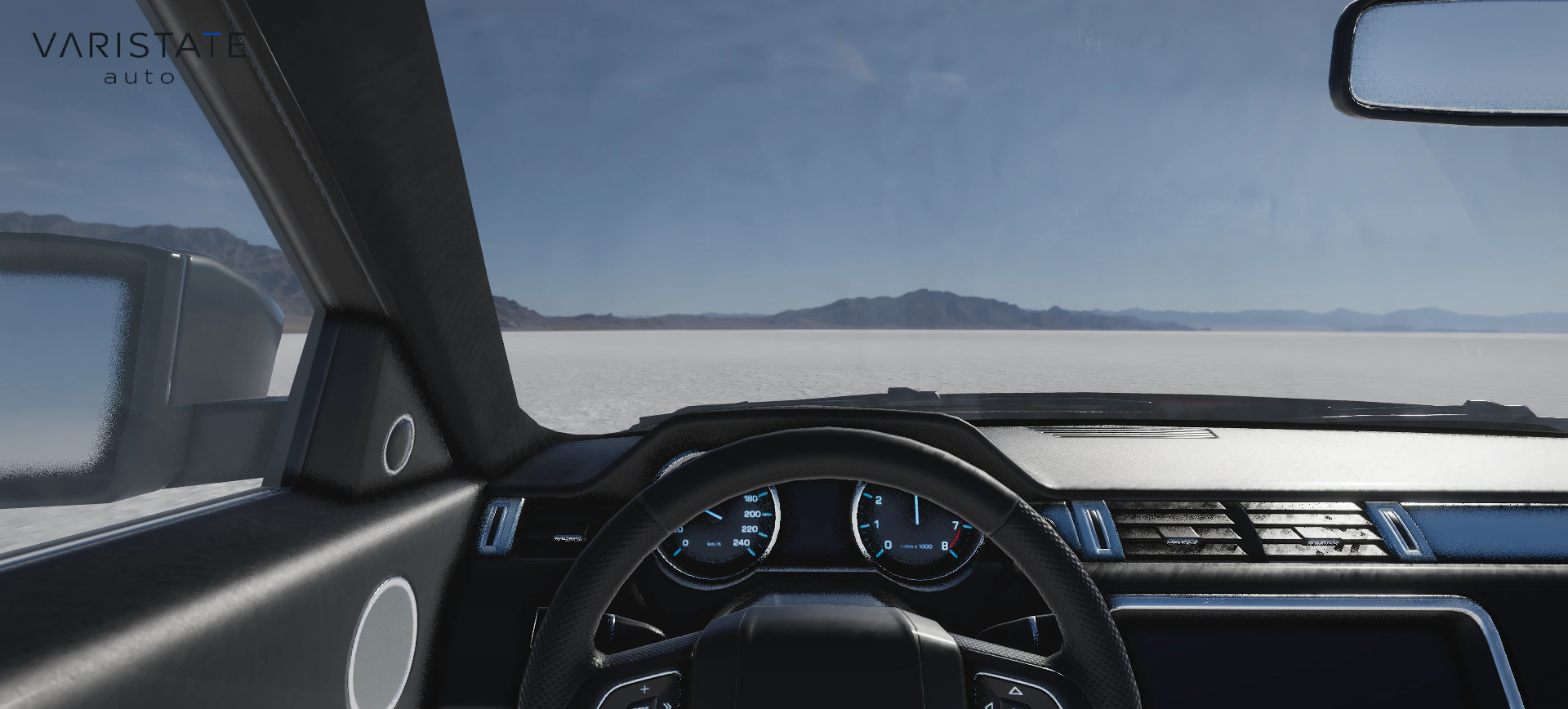
Changing between exterior and cabin views while driving cannot reuse every parked-car rule. Above the configured speed threshold, the camera follows a vehicle-relative path without opening the door or interrupting the drive. At low speed, entry can use the door animation while holding the car still with the engine idling. The camera has to know which kind of transition it is making before it starts. Otherwise a lovely doorway animation becomes a very odd thing to perform at speed.
Lost pointers, window blur and hidden tabs clear held controls. Returning from a backgrounded experience requires starting the engine again. These details rarely appear in a hero screenshot, but they determine whether the controls feel dependable. Touch input needs similar attention: a held pedal must release when the pointer is lost, and dragging the steering wheel should steer while other cabin drags still let the visitor look around. Input behavior is part of the product design.
The summary should reflect the choices that were actually made
A configuration summary is where these separate controls need to agree again. Seats and interior details remain separate selections, and the glazing option belongs there too. The interface includes illustrative pricing for the fictional SUV; those figures are part of the concept presentation rather than a retail offer. In a commercial implementation, the same visible summary would need to connect to verified product availability, valid combinations and the business's real pricing rules. A realistic render cannot supply that product data on its own.
This also shapes what needs checking during development. The project includes focused checks for material transitions, wheel choices, cabin geometry, walking, dynamics and moving-camera handoffs. A still image can show the selected finish, but it cannot show whether rapid swatch changes settle correctly or whether entering the cabin preserves a running engine. Those behaviors need to be exercised as sequences. The more freedom a configurator offers, the more useful it becomes to check the connections between its features.
Preparing expensive work before the first comparison
The loading stage prepares both environments, vehicle variants and texture uploads. Later choices reuse material programs and change their values instead of recompiling the whole vehicle on each click. The renderer includes reflections, occlusion, contact shadows and temporal refinement, but those effects still need sensible settings. The practical goal is that selecting a finish, opening a door or moving the camera remains responsive enough to invite another comparison. A technically impressive material is less useful if trying it interrupts the interaction.
Audio follows the same idea of independent, understandable choices. Background music and vehicle sounds have separate toggles. Engine startup leads into a working loop, RPM affects the engine sound, and road or skid sounds follow movement. Playback begins after the entry gesture and pauses when the page is hidden. The updated SUV project page brings the current images together; the real foundation is the connection between all these small systems and the configuration the visitor is building.