
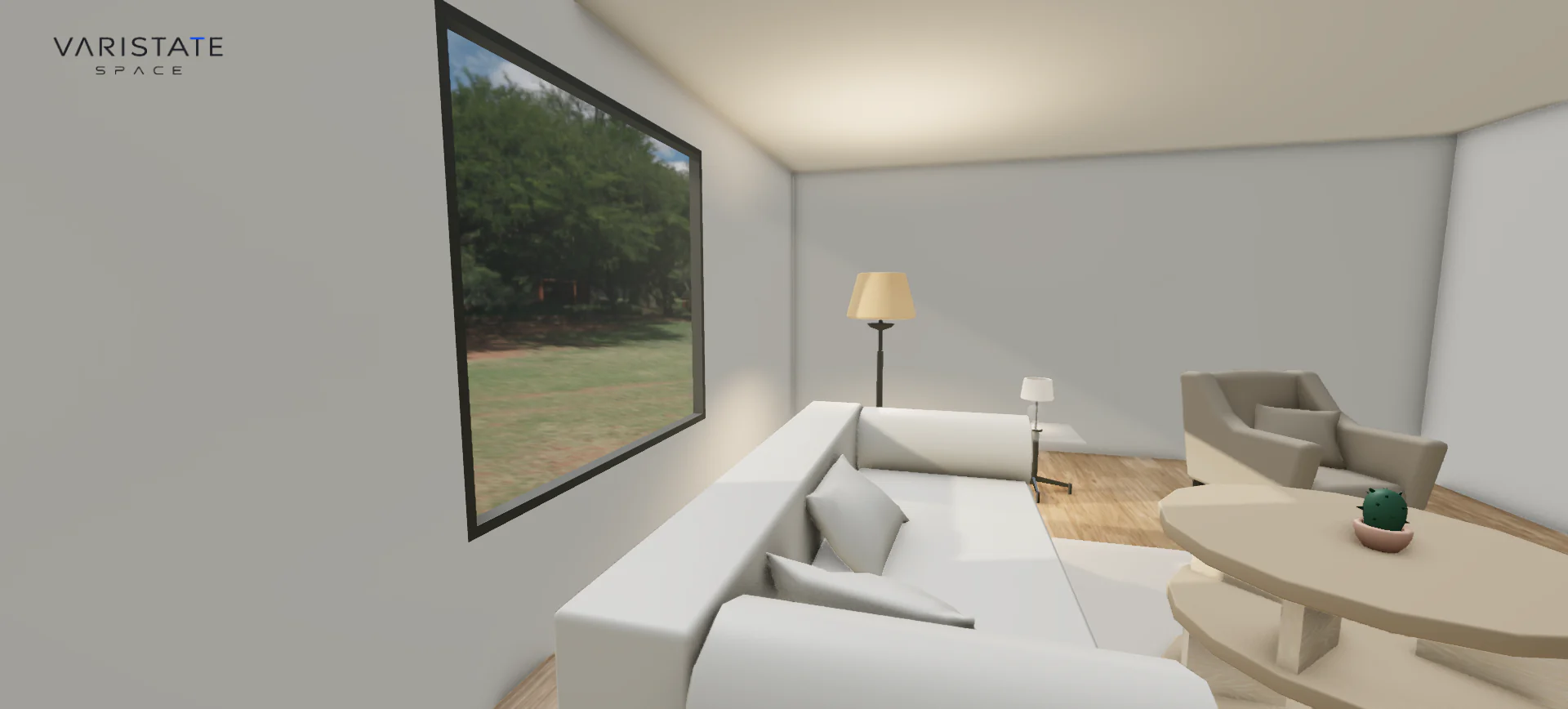
A room can look great from above and feel completely wrong when you stand inside it. That gap is the main reason I like building room planners. You can make a neat arrangement in a screenshot, then move the camera down to eye level and suddenly the coffee table is huge, the route past the sofa feels tight, and the window has become the most interesting part of the whole room.
VariState SPACE is my browser-based interior planning project around that problem. On this portfolio it lives as the SPACE room planner. It combines furnished starting scenes with room dimensions, furniture, finishes, floors, openings, and a walkthrough. The point is to let someone develop a space while still seeing what their decisions actually do. A control panel full of numbers is useful, but it needs the room beside it.
A planner starts with relationships
There is an important difference between a room planner and a finish configurator. A finish configurator can hold the arrangement steady and ask which wall color works. A planner has to deal with changes to the arrangement itself. Moving a wall affects the space around the furniture. Adding a room introduces another connection. A second floor needs a way to reach it. Each decision has neighbours, which is where the interesting development work begins.
I kept that distinction in mind across the two SPACE experiences. This one is about editing the space. The separate SPACE lounge study keeps a staged room and puts more attention on its finishes and lighting. They share a visual language and some rendering foundations, but they answer different questions. Treating them as interchangeable would hide the most useful thing about each project.
Starting with furniture makes changes easier to judge
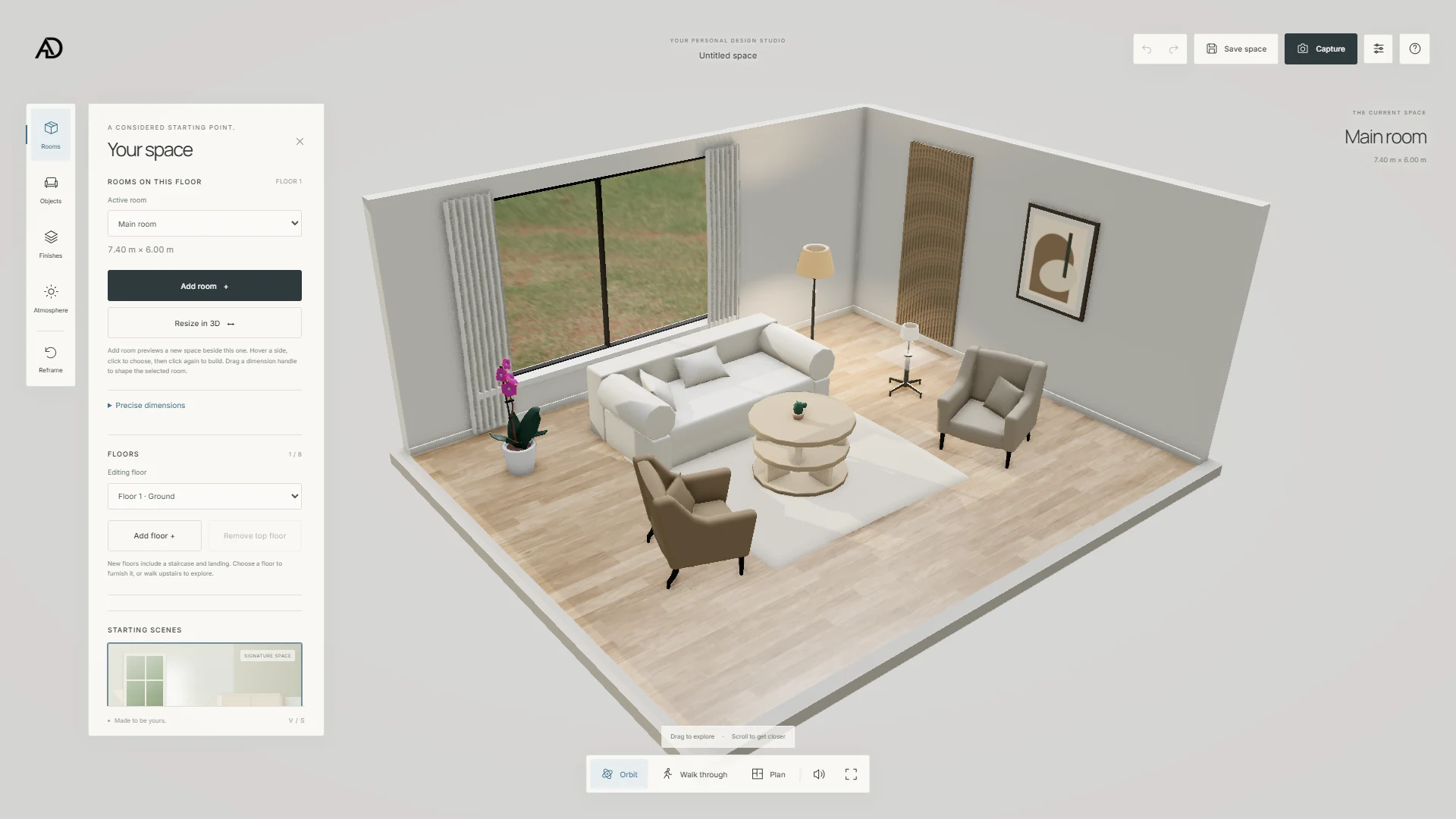
An empty rectangle is flexible, although it is not a very helpful first impression. You have to imagine a sofa, a table, their scale, and the sort of room you want before the tool gives anything back. A furnished starting scene provides those reference points immediately. In the atelier, the seating, rug, layered table, curtains, and window make a room dimension feel like a place rather than an abstract measurement.
That does not make the initial arrangement the correct answer. It gives you something to argue with. Maybe the room needs more width, maybe the table is in the wrong spot, maybe the pale floor is too quiet. I like that kind of starting point because it gets people into decisions quickly. The application also includes other furnished interiors, so the same controls can be explored against a different architectural character.
Make room editing feel attached to the room
The current planner supports adding rooms and resizing them directly in 3D. Instead of treating dimensions as a separate spreadsheet, the spatial editor projects controls around the geometry. You can preview a change, see where the new boundary would go, and commit it. Exact dimension inputs still have a place. Sometimes dragging is the quickest way to explore, and sometimes you already know the measurement you need.
This is also where interaction rules matter more than fancy handles. A drag should belong to the thing you grabbed. The orbit camera should stop fighting for the same pointer. Invalid placement needs a clear response. Cancelling a preview should leave the existing room alone. These sound like small details, but without them you stop thinking about your layout and start trying to work out what the software wants from you.
I use snapping as a helpful guide, with metric and imperial display preferences, rather than treating a free drag as an exact construction measurement. There are situations where a round increment is comfortable and situations where it gets in the way. That is why the ability to make a fine adjustment matters. The room should keep its physical size when the display units change; only the way that measurement is presented should change.
Floors and openings turn an object viewer into a space
A chair can be moved without much consequence. A staircase cannot. Once a planner supports more than one floor, it needs a consistent relationship between levels, stair placement, landings, and movement. SPACE includes floor controls and a multi-level layout system. That adds a useful type of exploration, although it also creates more responsibility: changing the active level has to make sense visually, and the route between levels has to remain understandable.
Windows are another good example. In the current build, an added window can be placed on an exterior wall, moved, resized, and given a frame or an interior covering. Placement protects corners and existing openings rather than letting every rectangle land anywhere. Curtains and blinds follow their opening. These are separate pieces of geometry and state, but from the visitor side they need to behave like one window that you are editing.
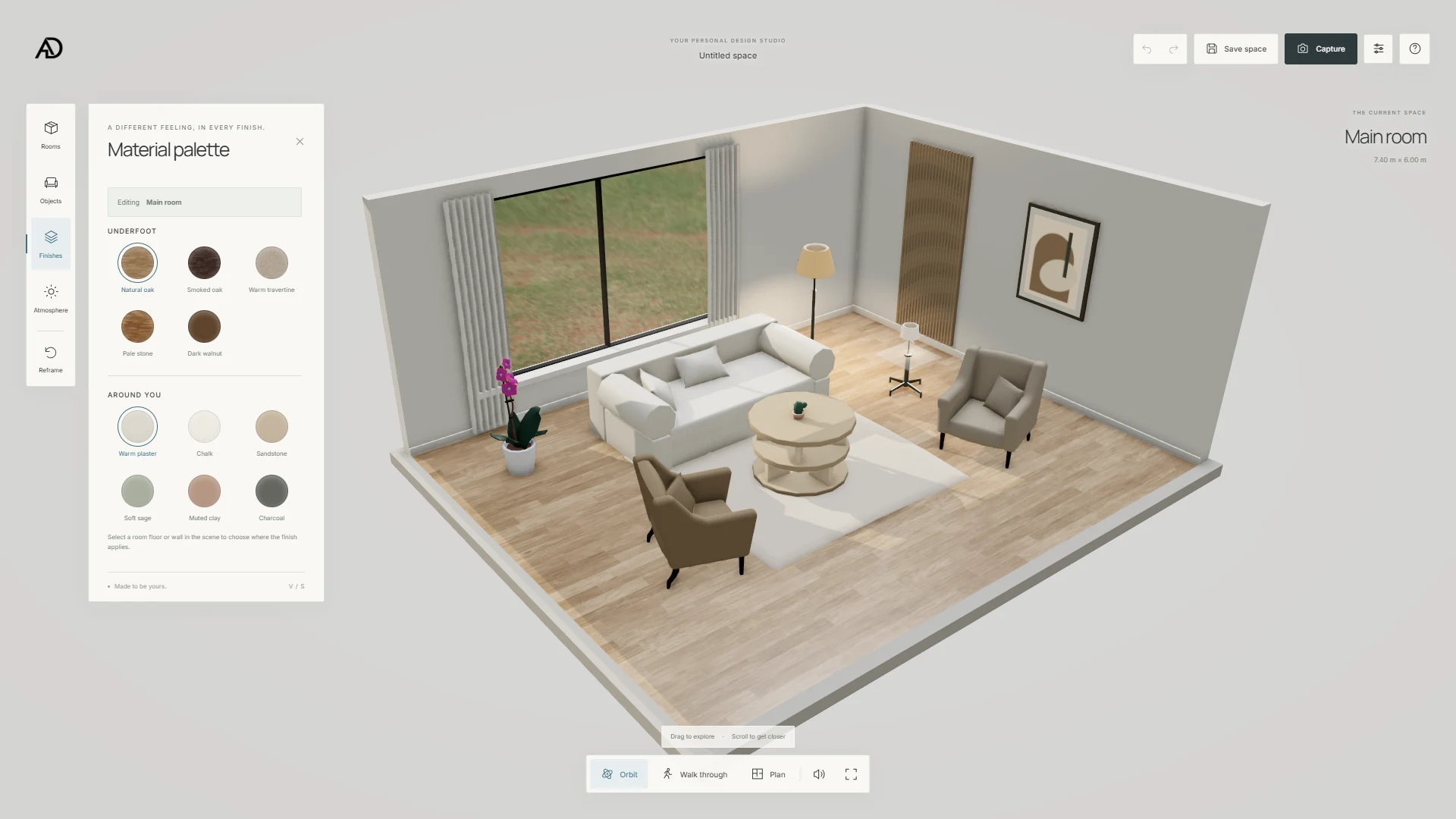
The screenshot gallery shows the room and material workflows, while these newer opening details belong to the current application. I want to keep that difference clear. A screenshot proves what was visible when it was captured; the implementation tells you what the current version supports. Neither needs to be dressed up as a building information model or a construction approval system. This is an interactive planning tool, with the limits that description implies.
Furniture placement needs more than a model loader
A model file does not know whether it is a sofa, a pendant light, or a vase. The application needs that information. The SPACE catalogue records dimensions, categories, and placement types, including floor, surface, and wall objects. That is a practical foundation for making an asset behave appropriately. A small decorative object and a full-height cabinet should not arrive with the same placement assumptions just because both happen to be GLB files.
Object rotation is another ordinary action that becomes surprisingly noticeable when it feels wrong. SPACE has direct rotation controls, including stepped rotation and a drag interaction. The useful test is whether you can turn a piece while keeping your attention on its relationship to the room. I would rather give a simple action a clear response than add several transformation modes that visitors have to learn before they can rearrange anything.
Plan, orbit, and walk each answer a different question
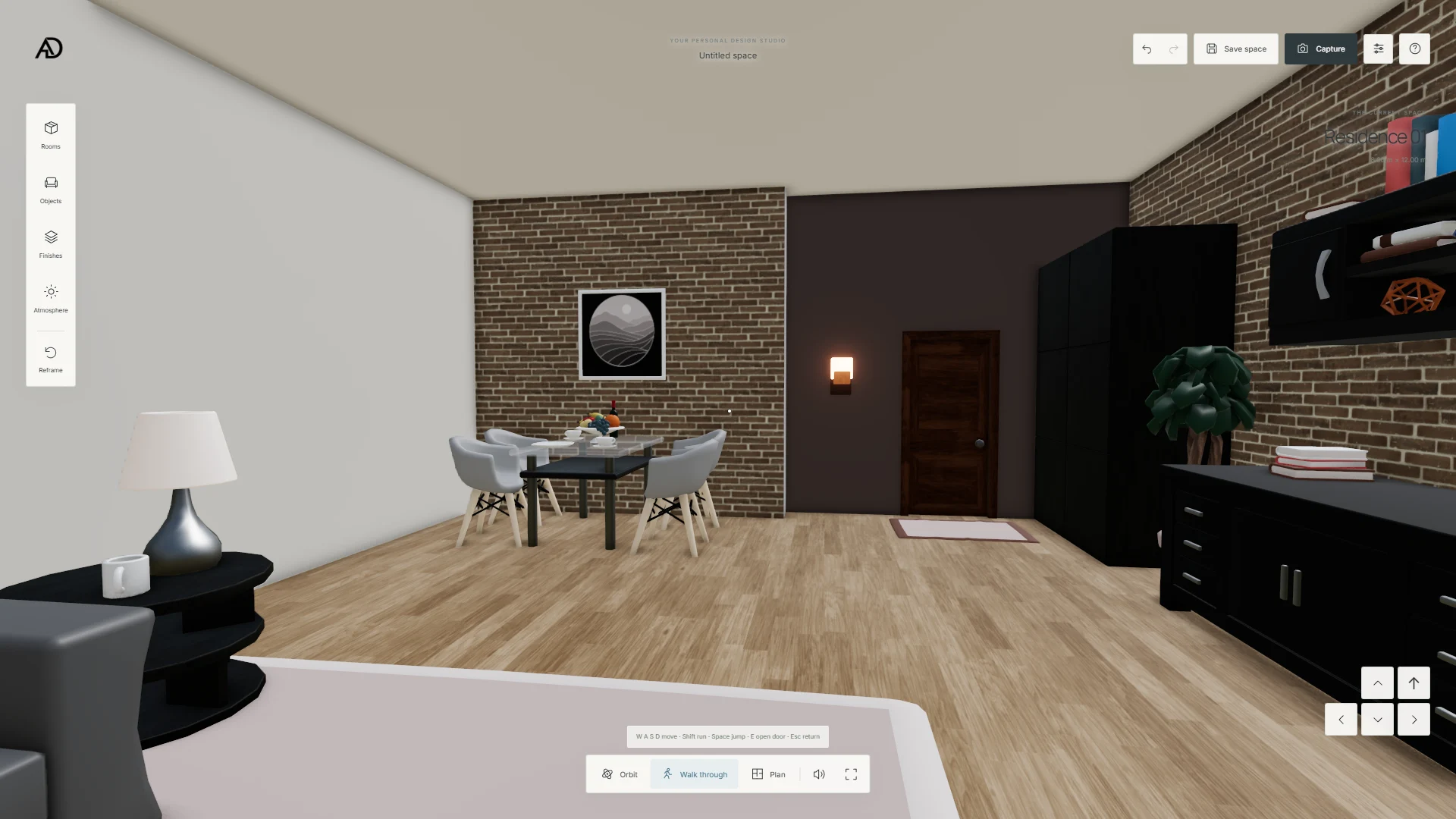
Orbit is a good overview. You can understand the arrangement and see several surfaces at once. Plan is useful when you care about the footprint and the relationship between edges. Walkthrough brings the experience down to human height. None of these views replaces the others. Looking down is efficient for editing, while looking across the room is much better for judging whether the arrangement actually feels comfortable.
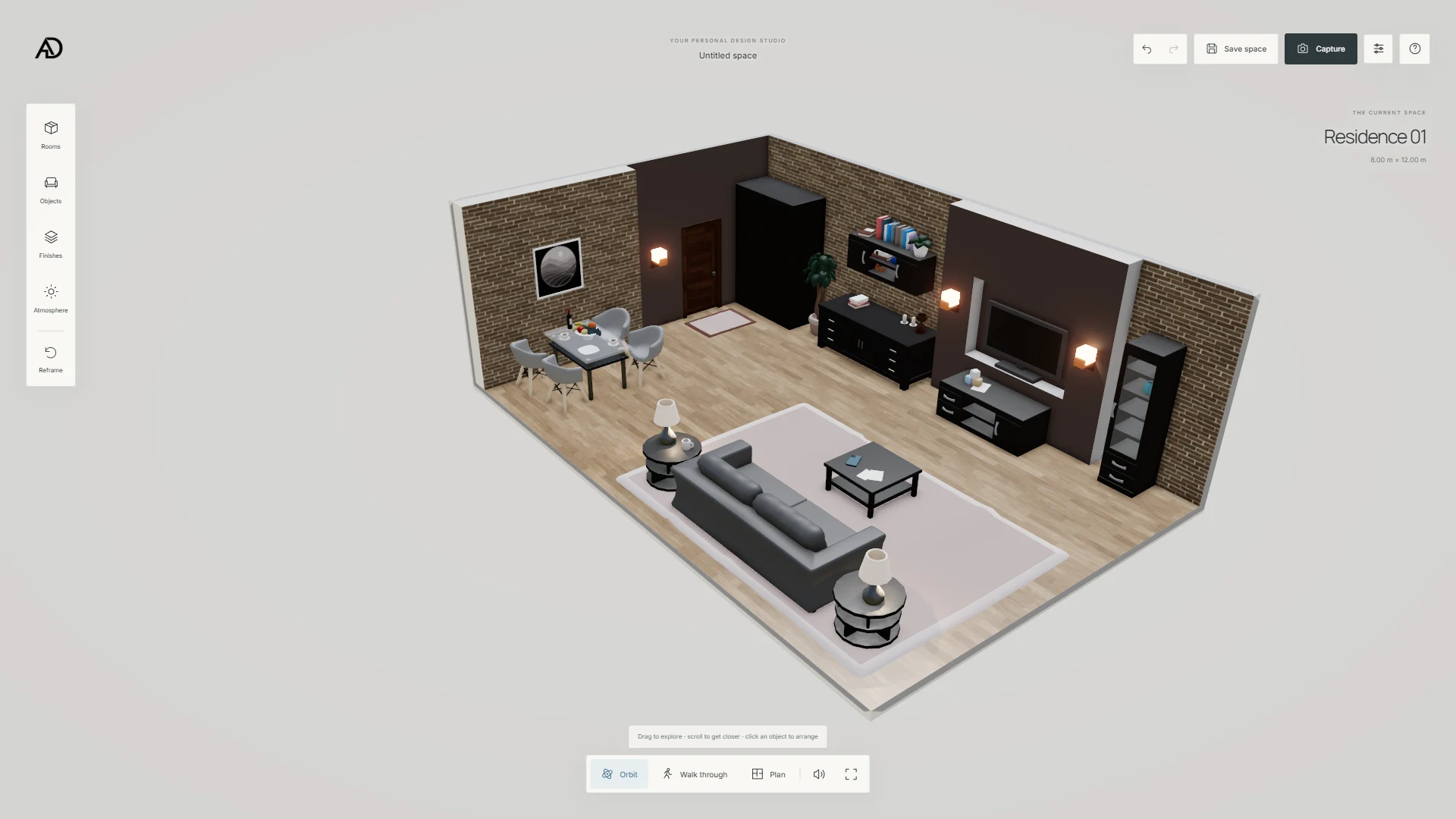
The residence captures make that difference especially clear. The elevated view gathers dining, seating, storage, and brick walls into one composition. At eye level, the same elements create foreground, depth, and obstructions. A room is no longer a collection of objects sitting on a diagram. You start reading the gap beside the dining table and the way a cabinet interrupts a sightline. That change in understanding is worth a dedicated camera mode.
Walking also needs boundaries. If the camera passes through every cabinet and wall, the room loses its physical meaning. The planner has collision and vertical navigation logic because the camera is part of the experience, not just a debugging tool. I still see this as an approximation for exploration. It helps a visitor read the space, but it cannot certify circulation widths, accessibility compliance, or the accuracy of measurements taken from an unverified input model.
Lighting has to tolerate a changing room
A fixed interior can be lit around one arrangement. An editable room cannot rely entirely on that luxury. Walls move, openings change, and furniture goes somewhere else. In SPACE I combine the environment, directional daylight, interior lighting, architectural shadows, and window-related light effects. It is a realtime approximation designed to remain readable during editing. Calling it an offline-quality lighting simulation would be a stretch, and would not help anyone understand the actual work.
The outdoor setting also does two jobs. There is the light that affects materials, and there is the scenery you see beyond a window. The planner offers garden, alpine, and golden-hour environments, with controls for the backdrop. Keeping those parts coordinated matters. A convincing interior can feel strangely pasted together if a warm wall highlight sits beside a view that appears to belong to a different time of day.
Undo is a creative feature
I do not think undo belongs at the bottom of a feature list. It changes how willing someone is to try things. If moving a window or adjusting a room feels risky, people make fewer experiments. SPACE keeps project state and history so edits can be reversed. A drag commits as one action rather than filling the history with every movement along the way. That makes undo match the action a person remembers doing.
Saving and exporting matter for the same reason. A design is a set of decisions, not only the image on screen. The current state includes the room, dimensions, finishes, objects, and layout information, with support for saved projects and project-file import and export. A screenshot remains useful for sharing an idea, but a project file carries the editable decisions. Those are different outputs, and I want the experience to respect both.
The browser still has a budget
The current project uses TypeScript, Vite, Three.js, and my shared VariStateEngine package. The renderer selects WebGPU where available and has a WebGL 2 fallback. That gives me a common foundation across the VariState experiences, although it does not make room assets free. Geometry, textures, environment maps, rendering resolution, and the work done during an edit all still compete for the same device resources.
A phone also changes how much interface can sit beside the room. A comfortable desktop panel can cover most of a narrow viewport, and a small drag handle becomes much harder to target with a thumb. For this kind of tool, I think responsive design has to include the editing experience itself. Keeping the selected object visible and making the next action understandable are just as relevant as fitting the typography into a smaller column.
One practical part of this project is its shared texture delivery. The asset preparation extracts byte-identical textures so different room files can reference the same delivered data, without changing the original geometry or recompressing the images. Production assets are served through Vercel Blob. Development can use local assets. Keeping that boundary explicit makes the project easier to work on and avoids treating a cloud connection as a requirement for every local edit.
What this project is trying to prove
For me, the useful proof is that room editing, materials, furniture, and navigation can belong to one coherent browser experience. The technical work is underneath those relationships. There is no client conversion statistic attached to this study, and the gallery is not evidence that a real building was designed with it. It is evidence of the product and rendering decisions I can build, explain, and continue improving.
You can see the current work on the Space Design Studio project page or open the SPACE planner. For the business side of the same subject, I also wrote about 3D room planners for furniture businesses. The question I keep coming back to is pretty simple: after trying the tool, do you understand your room better than before? That is the standard I want this project to meet.